Set up the Frank webhook
Have Frank tell your server the moment an interview is completed, instead of polling for it.
1. How it works
When an interview is completed, Frank sends a POST to a URL you own. Use it to mark a participant as interviewed, advance them through a flow, or sync the result into your CRM or analytics — without asking Frank repeatedly whether anything has finished.
You configure one endpoint for the whole account. It covers every research you run; there is no per-research or per-product configuration, and no list of endpoints.
2. Connect your endpoint
- In Frank, go to Settings → Webhooks. Before setup the card reads Not configured — Add an endpoint to start receiving events.
- Enter the URL that should receive 2 events and choose Configure webhook.
- Store the signing secret Frank generates. You need it to verify every incoming request, and it cannot be read back later.
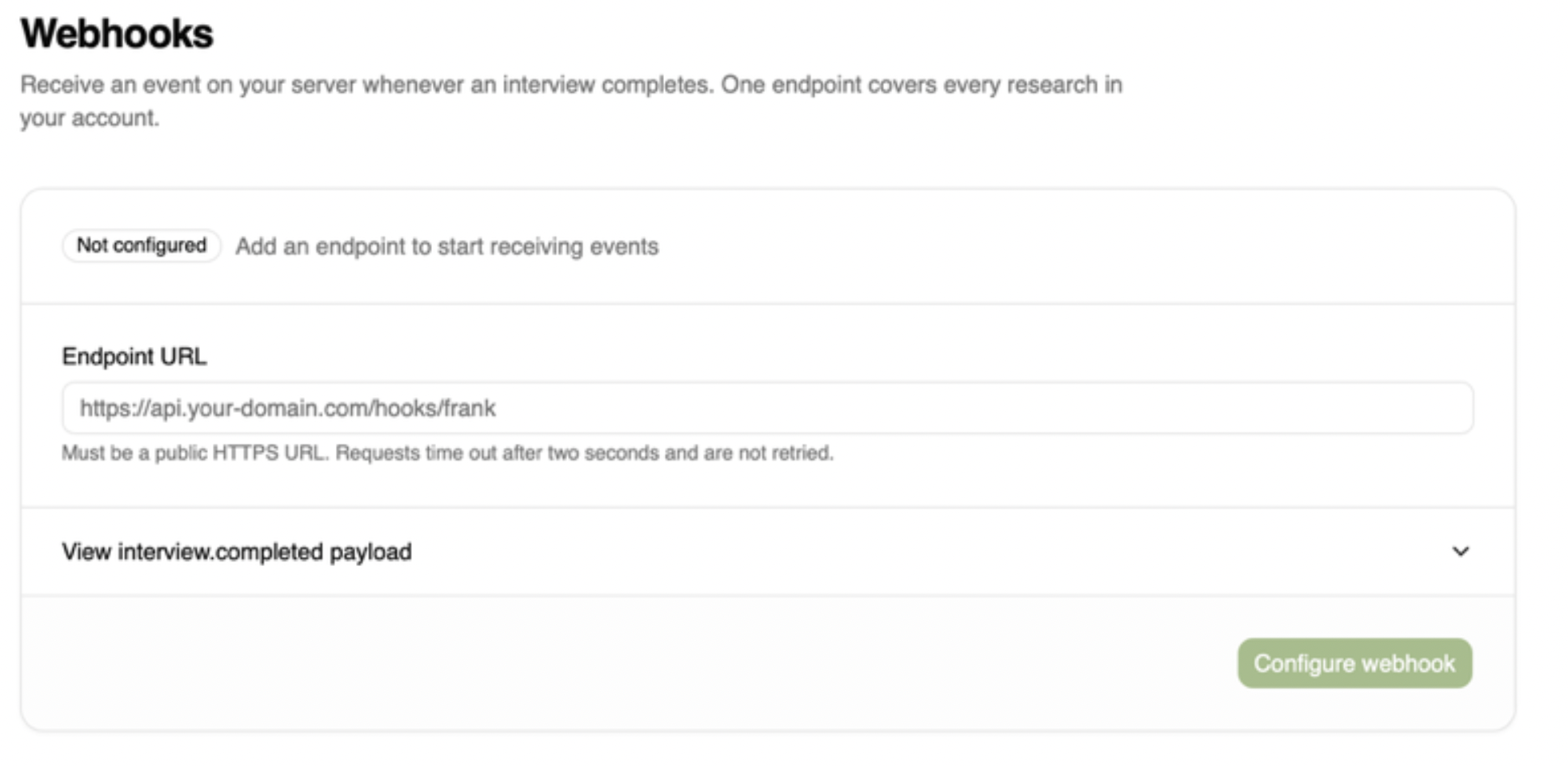
Before setup: enter your URL and choose Configure webhook.
Only public HTTPS endpoints are accepted.
Once configured the card reads Configured — Delivering interview events to your endpoint and gains Send test event, Rotate secret, Save changes and Delete webhook. To change the URL later, edit the field and choose Save changes. Deleting stops delivery and returns the card to Not configured; you can connect a new URL afterwards.
.png)
Once configured: the secret is masked, and Send test event and Rotate secret become available.
The secret cannot be viewed again
Once the webhook exists, the Signing secret field shows only a masked value (frank_whsec_••••) — Frank will not reveal the existing secret. If you did not store it, or you need to replace it, use Rotate secret to generate a new value, then update your receiver to match.
3. Verify the request came from Frank
Every request carries your secret — a frank_whsec_ -prefixed value — in the X-Frank-Signature header. Verify it against your stored copy before trusting the body, and reject any request that does not match.
Frank computes:
X-Frank-Signature = "v1=" + lowercase_hex(
HMAC-SHA256(key = signingSecret, data = rawRequestBody)
)
The receiver must:
- Use the entire signing secret, including
frank_whsec_, exactly as shown when configuring or rotating the webhook. Do not Base64-decode it or use an API key. - Read the original request body bytes before JSON parsing. Parsing and reserializing JSON can change the signature.
- Compare against the full header:
v1=followed by 64 hexadecimal characters. There is no timestamp prepended to the body. - After verification, parse the JSON and deduplicate processing using its
eventId.
here is a Node.js snippet for doing the verification
import { createHmac, timingSafeEqual } from "node:crypto";
function verifyFrankWebhook(rawBody, header, signingSecret) {
// rawBody must contain the original HTTP request body bytes.
if (!Buffer.isBuffer(rawBody)) {
throw new Error("Expected raw request body Buffer");
}
if (
typeof header !== "string" ||
!/^v1=[0-9a-f]{64}$/.test(header)
) {
return false;
}
const expected = createHmac("sha256", signingSecret)
.update(rawBody)
.digest();
const received = Buffer.from(header.slice(3), "hex");
return timingSafeEqual(expected, received);
}
4. The payload
FIELD TYPE NOTES
event string interview.completed
eventId string interview.completed:
<interviewId>
occurredAt string (ISO 8601) When the event occurred.
data.interviewId string (uuid) The completed interview.
data.researchId string (uuid) The research it belongs to.
data.type string audio , video or chat .
data.startedAt string (ISO 8601) | null When the interview started.
data.endedAt string (ISO 8601) When the interview ended.
data.durationSeconds integer Length in seconds.
data.participant.external_id string | null Your own participant identifier,
when one was supplied.
data.participant.name string | null null when the participant stayed
anonymous.
data.participant.email string | null null when the participant stayed
anonymous.
data.turns integer Number of turns in the
conversation.
The same sample is available in-product: View interview.completed payload expands on the Webhooks page in both states.
5. When it fires
The webhook fires when an interview is completed. At this time interview.completed is the only supported event.
So a participant who joins and immediately leaves will never reach your endpoint. If you need to know about those, poll the interviews endpoint instead — their status is available through the API.
6. Fetch the full interview
The payload identifies the interview; the transcript and the rest of its detail come from the authenticated API using data.interviewId . See the API documentation.
7. Send a test event
From the Configured card, Send test event posts a test interview.completed to your endpoint and reports the outcome. On success it reads Last test: 200 — your endpoint accepted the event. On failure it reports the error code your endpoint returned.