Widget Installing via Google Tag Manager (GTM)
For sites managed through GTM, the widget can be installed using tags, triggers, and variables instead of editing site code directly.
Tag: Frank Floating Widget
A Custom HTML tag containing the standard init script, set to fire on All Pages / Page View so the widget loads on every page.
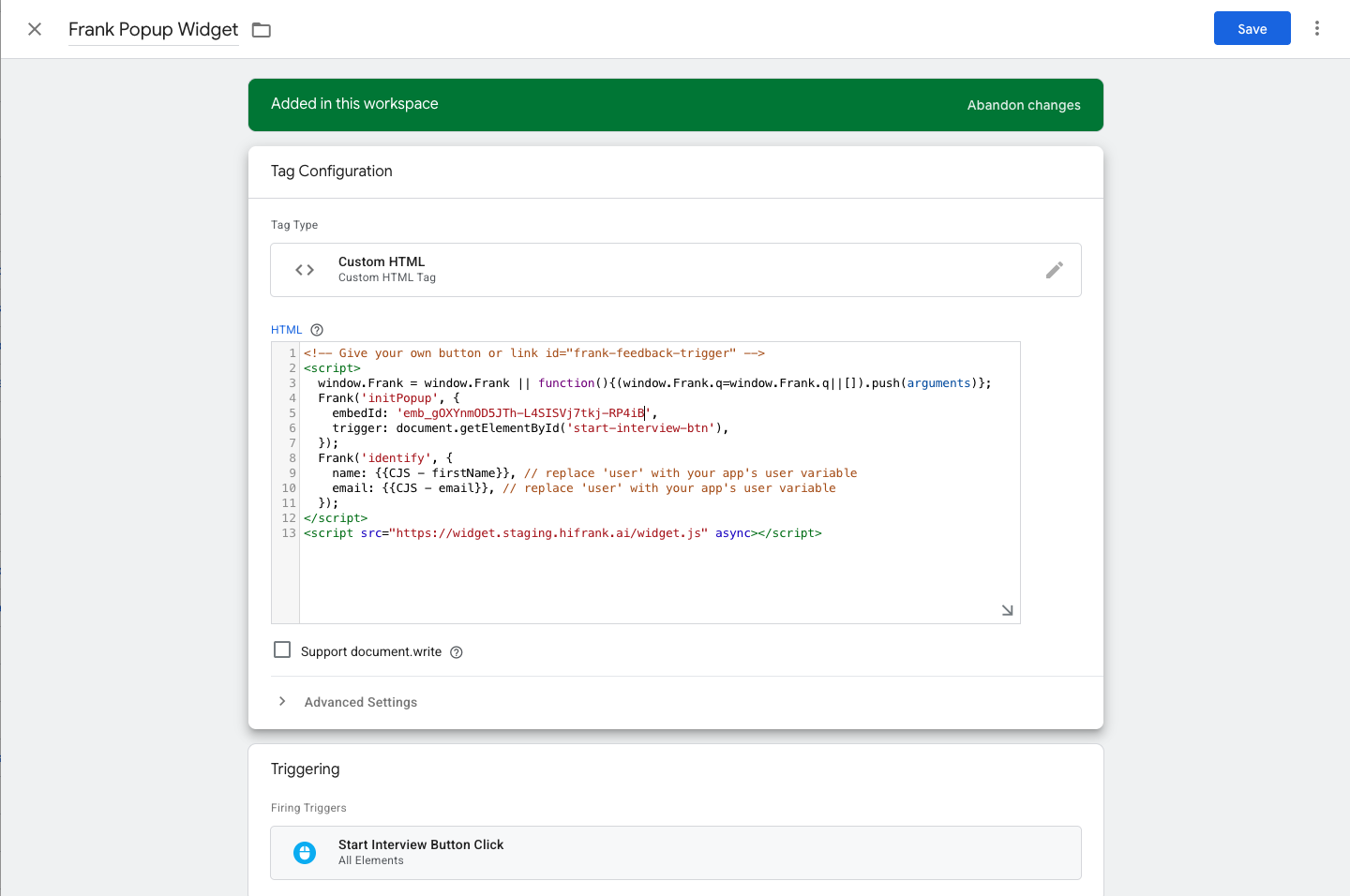
Tag: Frank Popup Widget
A Custom HTML tag where the script also sets a trigger pointing to a specific button ID on the page (e.g., document.getElementById('start-interview-btn')), so the widget only opens when that button is clicked. It typically also includes an identify call referencing GTM variables (e.g., {{CJS - firstName}}, {{CJS - email}}).
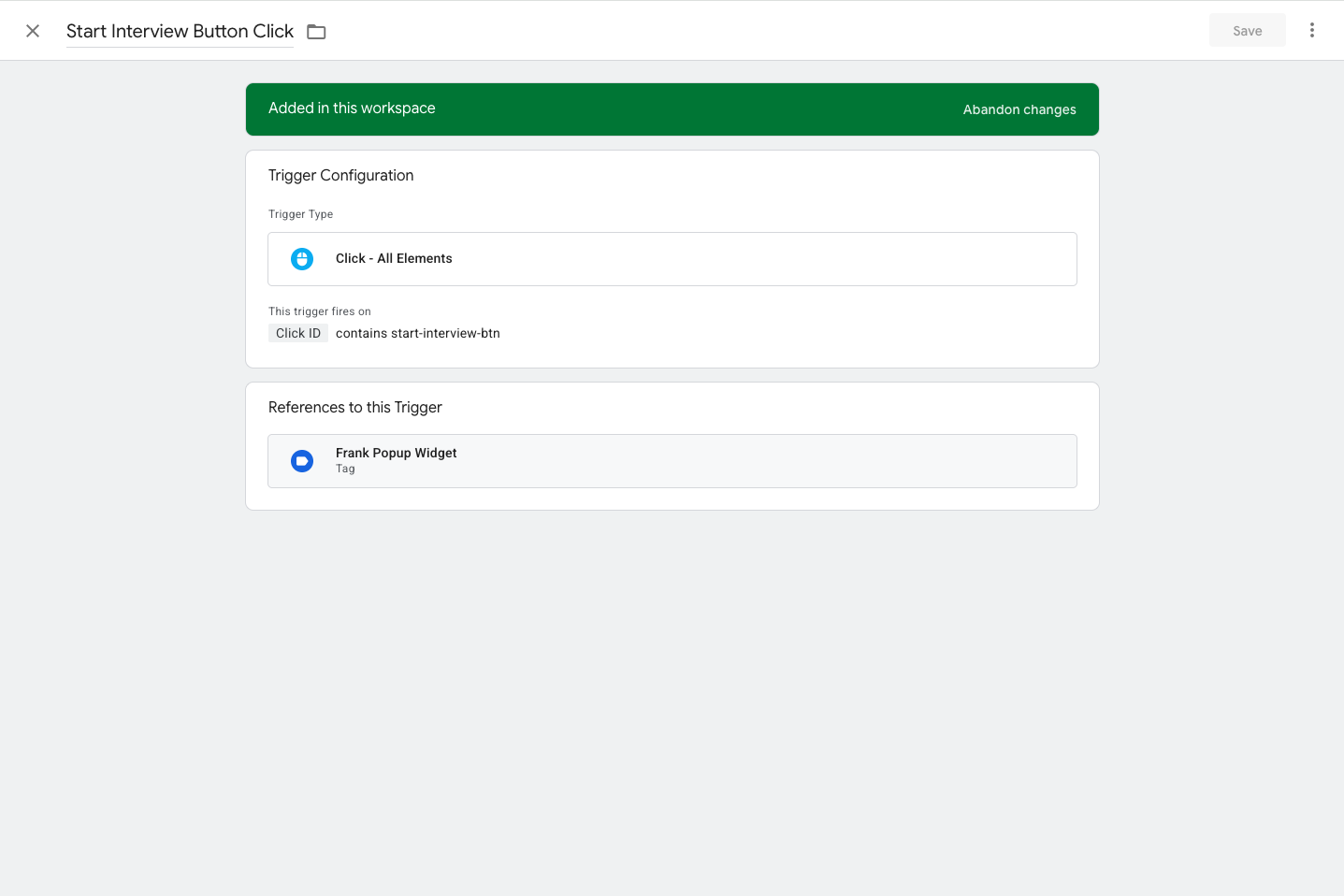
Trigger: Start Interview Button Click
A Click - All Elements trigger configured to fire when Click ID contains start-interview-btn. This trigger is referenced by the Frank Popup Widget tag.
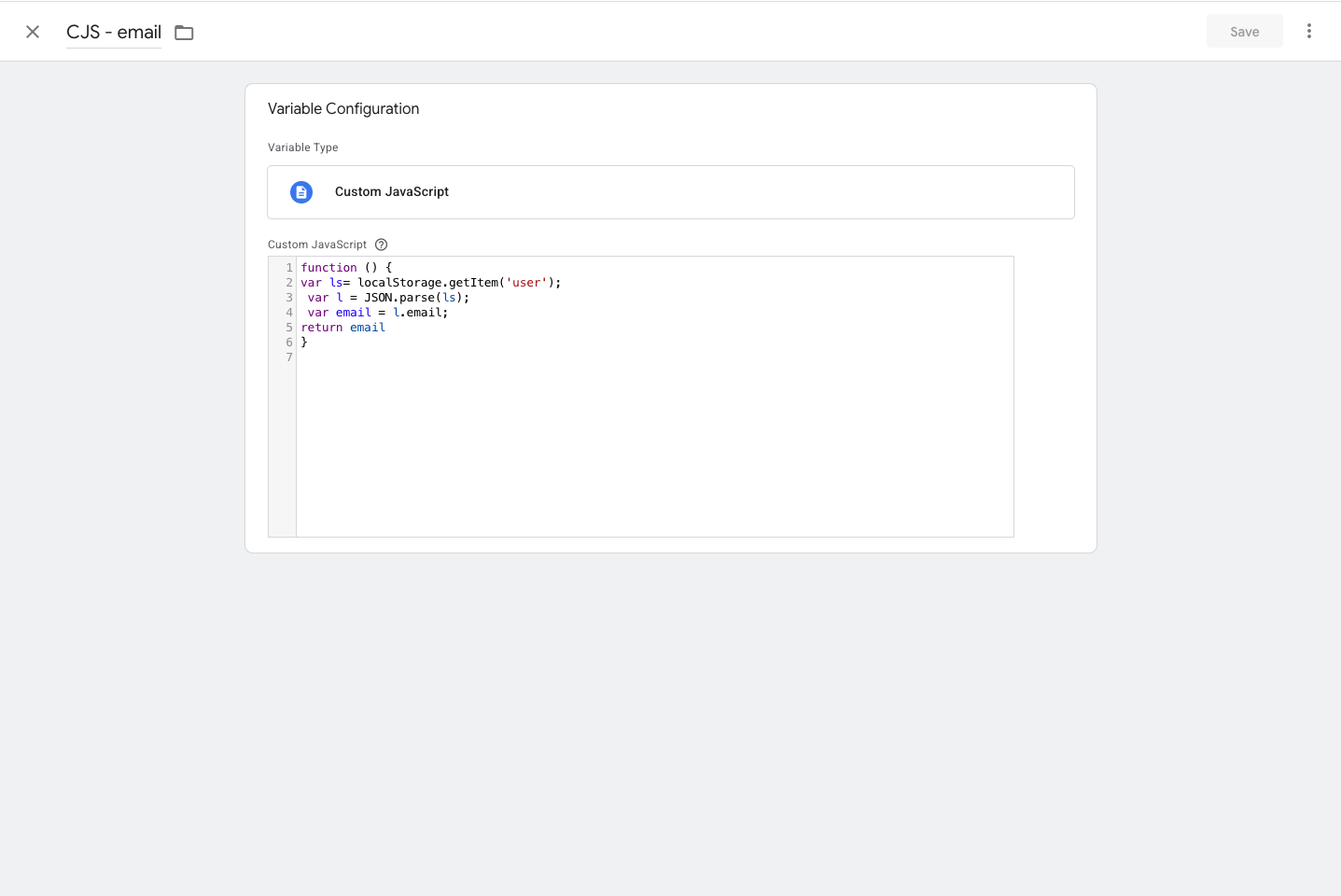
Variable: CJS - email (Custom JavaScript)
A Custom JavaScript variable that reads the logged-in user's email from localStorage, for example:
function () {
var ls = localStorage.getItem('user');
var l = JSON.parse(ls);
var email = l.email;
return email;
}