
Teams rarely notice they’re drowning in customer feedback until something breaks.
A few customers churn, and no one can clearly explain why. A roadmap decision gets delayed because insights are scattered across surveys, support tickets, and Slack threads.
These signals exist; they’re just buried.
Most teams are already collecting input.
- They run surveys
- Read support conversations
- Monitor social media comments
The real pain starts after that. Feedback lives in different places, patterns are hard to spot, and by the time someone connects the dots, the moment to act has passed.
This article breaks down the most effective real-time feedback methods based on when to use them: spotting churn risk, understanding buying decisions, validating features, or improving support content.
Instead of a generic list, you’ll see which method fits which decision, so teams can move faster with clearer signals.
Feedback Collection Methods and Their Use Cases
Different feedback methods create value depending on the company’s stage, product complexity, and customer journey.
The table below summarizes key feedback methods, their best-fit company types, and the reasons they yield high ROI.
Quick Comparison Guide
7 Ways to Collect and Analyse Real-Time Feedback
Within the Product and With Widgets
Best use case:
Understanding friction inside specific features or workflows while users are actively using the product.
What it reveals:
- Where confusion happens
- Which feature causes friction
How users react to new releases in real time
Because feedback is captured in context, it’s tied to the exact moment, feature, and step in the journey.
Let’s take Notion. Notion uses small in-product prompts and feedback widgets directly inside new feature releases. When users try something new (like database automations or AI tools), they can quickly rate or comment within the interface.

When to trigger:
- During first-time feature use
- After a repeated action or error
- When releasing new functionality
- When users abandon a step
Tools to use:
Post-Interaction Surveys / Post-Interaction Nudges
Best use case:
Capturing decision-moment reactions right after meaningful customer actions.
What it reveals:
- Why a user bought, canceled, or struggled
- What felt confusing or valuable
- Immediate emotional response to the experience
The experience is still fresh, which improves recall and the quality of responses.
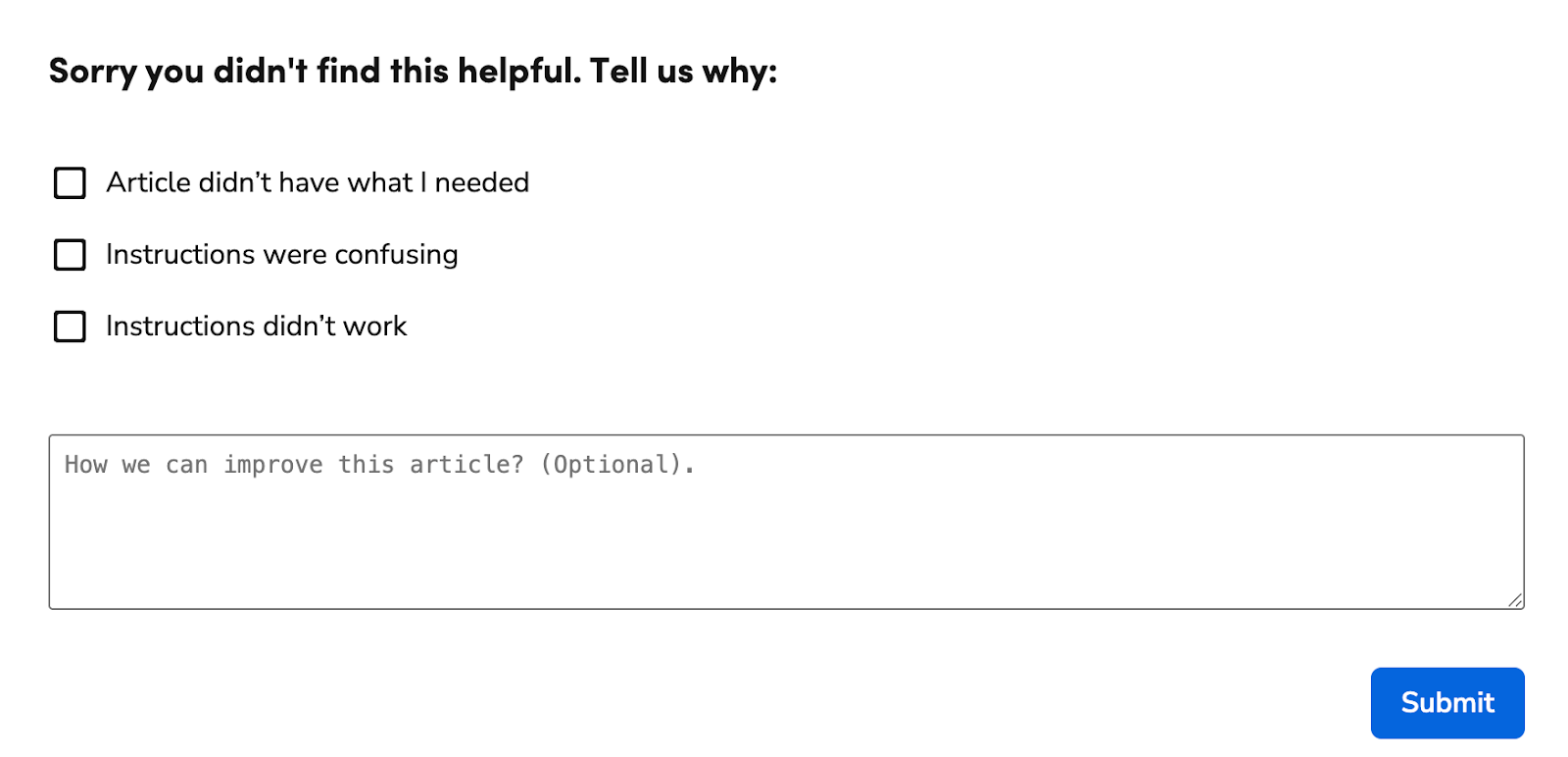
My recent hands-on experience as a data analyst at ServiceTitan, working closely with customer sentiment and support cases data, resulted in a 25% reduction in the Cases-Per-Tenant metric. By analyzing patterns in real-time feedback collected directly within ServiceTitan Knowledge Base and leveraging AI agents to surface sentiment trends and recurring friction points, I helped boost self-service success and lower support volume.
When to trigger:
- After checkout or subscription purchase
- After cancelation
- After a support conversation
- After reading a help article
Tools to use:
Social Media Listening
Best use case:
Spotting early signals of frustration, churn intent, or product perception before customers formally report issues.
What it reveals:
- Raw, unfiltered opinions
- Competitor comparisons
- Early complaints
- Public praise and feature excitement
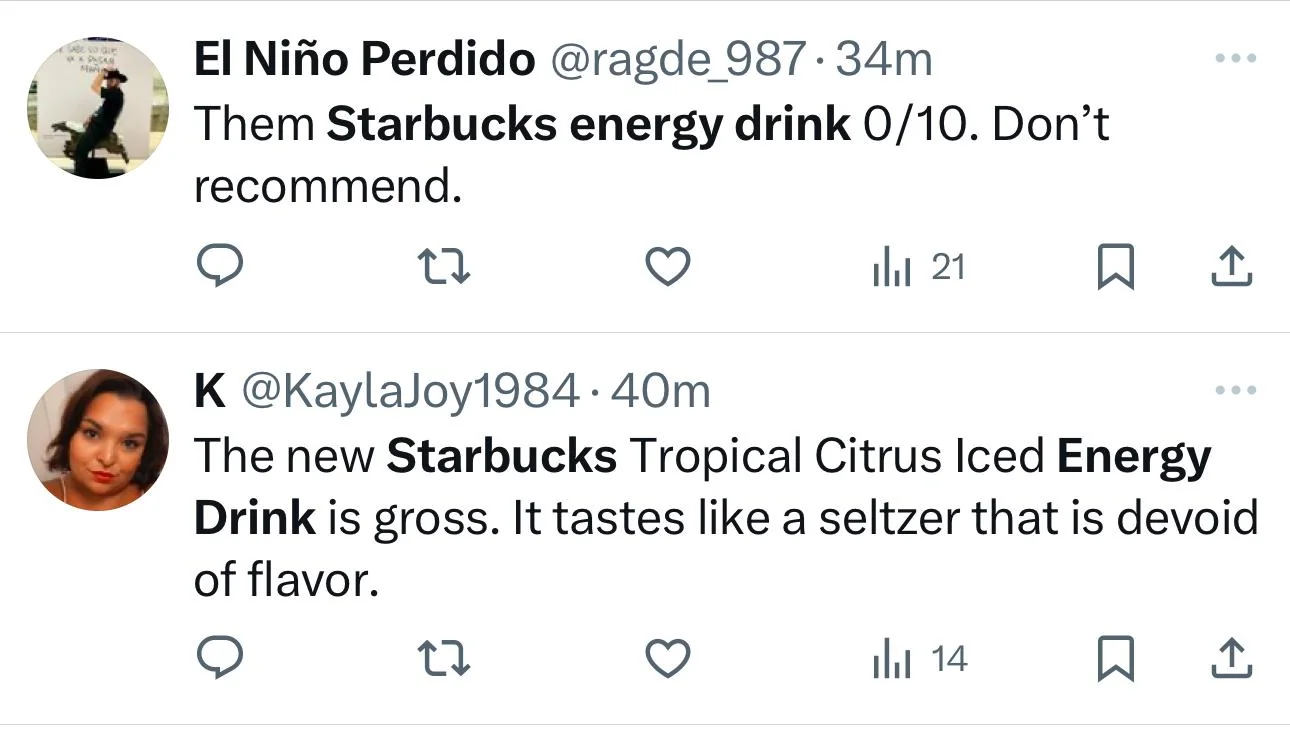
This is often where customers express reactions before contacting support. Starbucks is a great example here. The monitor platforms like X and Instagram to quickly identify complaints related to store experiences and new product launches, allowing faster response and adjustments.
When to trigger:
- Continuously (always-on monitoring)
- During product launches
- After incidents or outages
- During pricing or feature changes
I recommend narrowing focus to high-intent signals like:
- Brand name + “cancel”
- Brand name + “switch”
- Brand name + “broken”
These queries reveal problems earlier than support tickets or surveys.
Tools to use:
Real-Time Interviews
Best use case:
Understanding the deeper “why” behind behavior, especially in complex products or high-value customer journeys.
What it reveals:
- Motivations behind decisions
- Emotional drivers of churn or adoption
- Context that quantitative data can’t explain
Interviews turn signals into clear root causes. Many early-stage B2B startups invite users to short AI-led customer interviews instead of scheduling a call, capturing insights closer to the experience moment.
When to trigger:
- During onboarding
- During trial periods
- After inactivity signals
- At pre-churn moments
- During early product validation
Tools to use:
Community Events
Best use case:
Collecting deep, story-driven feedback from engaged users, partners, or power customers.
What it reveals:
- Workflow realities
- Real operational challenges
- Patterns across multiple customers
- Ideas that don’t surface in surveys
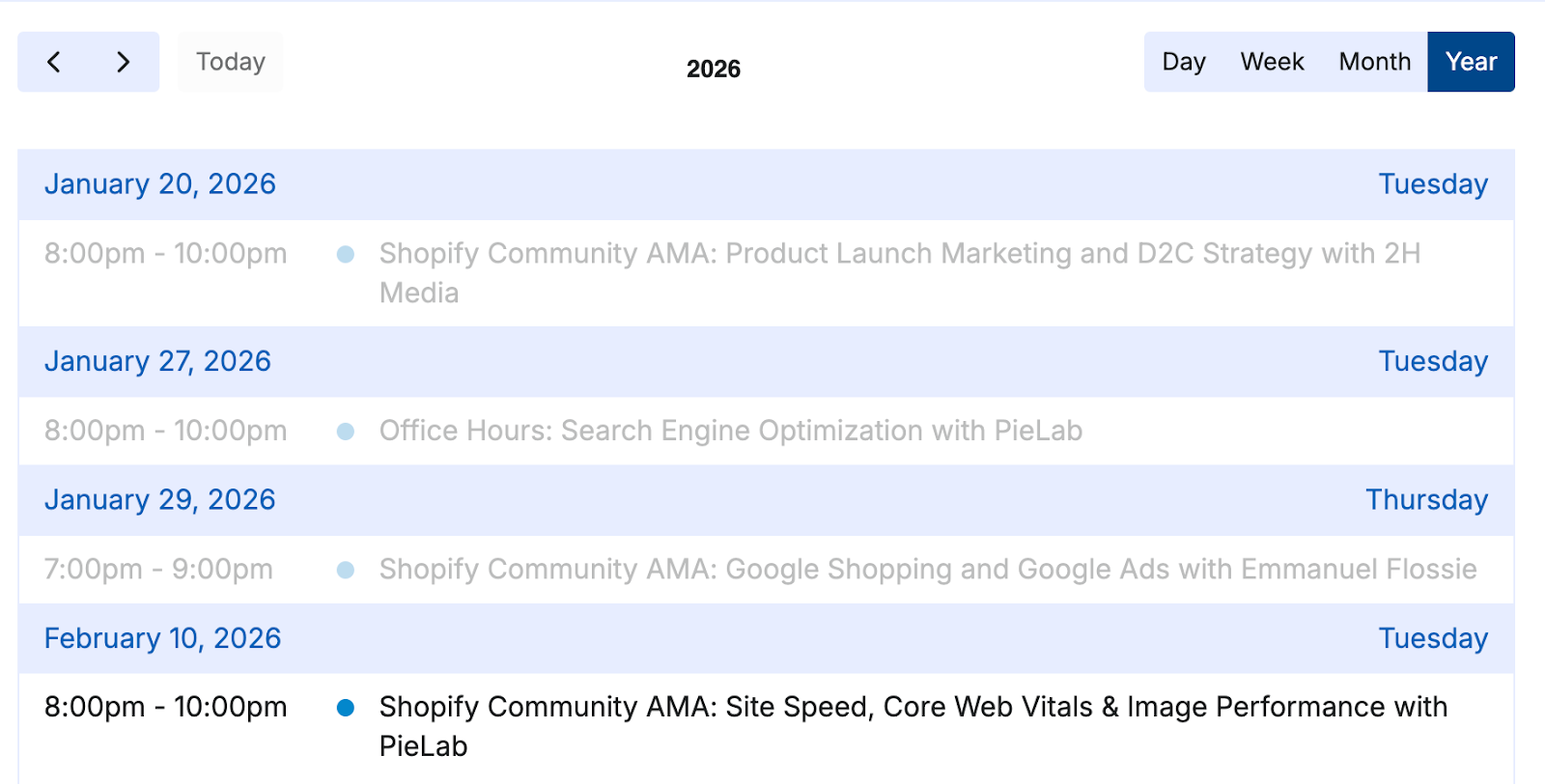
These conversations often shape roadmap priorities. Shopify does this the best. They gather feedback from merchants and partners at community events where founders openly share operational challenges and feature needs in real time. They even have a community event calendar!
When to trigger:
- Product meetups
- Partner events
- User conferences
- Community Q&A sessions
Tools to use:
Unspoken Feedback (Passive Behavior Signals)
Best use case:
Identifying friction when users don’t report problems themselves.
What it reveals:
- Hidden usability issues
- Points of hesitation or confusion
- Drop-off moments in key journeys
- Navigation problems
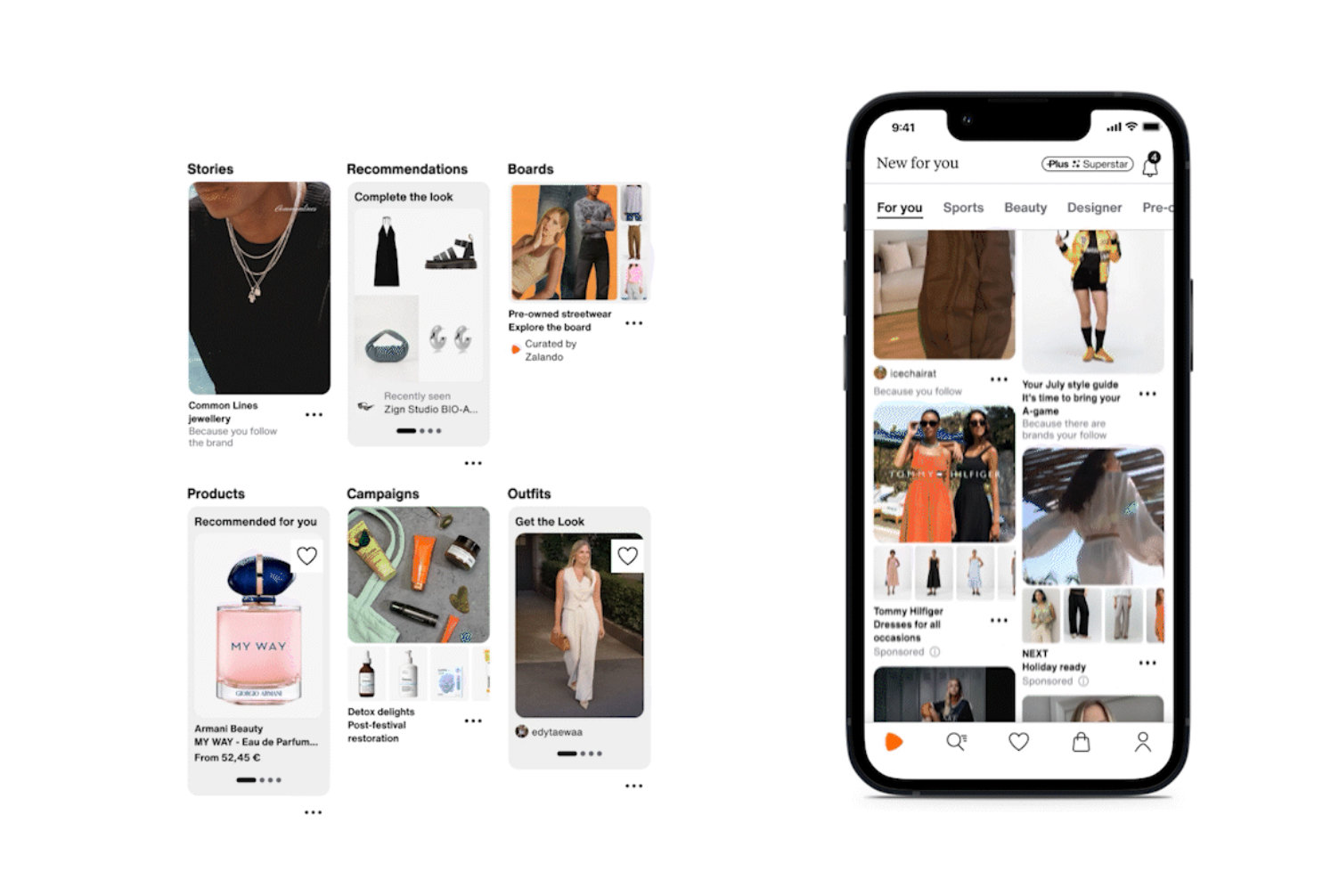
Behavior often exposes problems customers never articulate. Zalando reportedly monitors user sessions and behavior to identify where users struggle during checkout. Moreover, with their AI-powered discovery feed, they aim to “roll out new public customer profiles.”
When to trigger:
- Continuously across core product flows
- During onboarding
- During checkout or activation steps
- After UX redesigns
Tools to use:
Voice-of-Customer Dashboard
Best use case:
Turning scattered feedback into patterns and strategic insights at scale.
What it reveals:
- Recurring themes across channels
- Top product pain points
- Sentiment trends
- Priority areas for improvement
Centralization turns noise into signal. This is why many organizations create a Voice-of-Customer dashboard, a single place where feedback is collected, tagged, and analyzed. Data analysts often play a key role here.
When to trigger:
- When feedback exists across multiple sources
- During scaling phases
- When teams struggle to align on priorities
Tools to use:
Why Real-Time Feedback Reveals the “Why” Faster
Timing is what turns surface-level answers into deep “why” insights. In-the-moment signals reveal confusion, hesitation, and intent before customers forget or rationalize their actions. This allows teams to fix problems earlier, often before they become support cases or churn.
Faster insight leads to faster decisions, and faster decisions create a measurable competitive advantage. Instead of guessing what customers meant days or weeks later, teams can respond to what they actually felt in that exact moment.
Real-time feedback shortens the distance between experience, understanding, and action, making it one of the most reliable ways to improve products with confidence.
Conclusion
Most teams already collect feedback, but too often it arrives late, scattered, or without context. By then, the moment has passed, and the real reasons behind customer decisions are harder to understand.
Real-time feedback closes that gap. Capturing signals inside the product, right after key interactions, through behavior patterns, conversations, and community touchpoints, helps teams understand what is happening and why, while the experience is still fresh. Each method plays a different role, but together they create a clearer and more immediate picture of the customer journey.
Start by collecting data and paying close attention to the signals that appear across these moments. Then use interviews to validate what those signals actually mean and explore the deeper “why” behind them. With Frank, this validation can happen faster and at scale, making it easier to research patterns further and turn real-time insight into confident decisions.