Full Control Over How Frank Interviews Your Customers

August 25, 2026
Your Research Guide is now fully editable — goals, questions, the order they're asked in, how deep Frank follows up, and what it says at the start and end of every interview!
Also in this release:
- Follow-up settings now shape the live interview
- "Something else" free-text option on every list
- One-request study creation through the API
Anyone can write the questions. The interview is the hard part.
You already know what you need to find out. That's not the difficult bit.
The difficult bit is the conversation. Knowing when "the pricing felt a bit high" is the answer, and when it's the thing standing in front of the answer. A good researcher pushes. A form moves on…
Now you decide how hard Frank pushes.
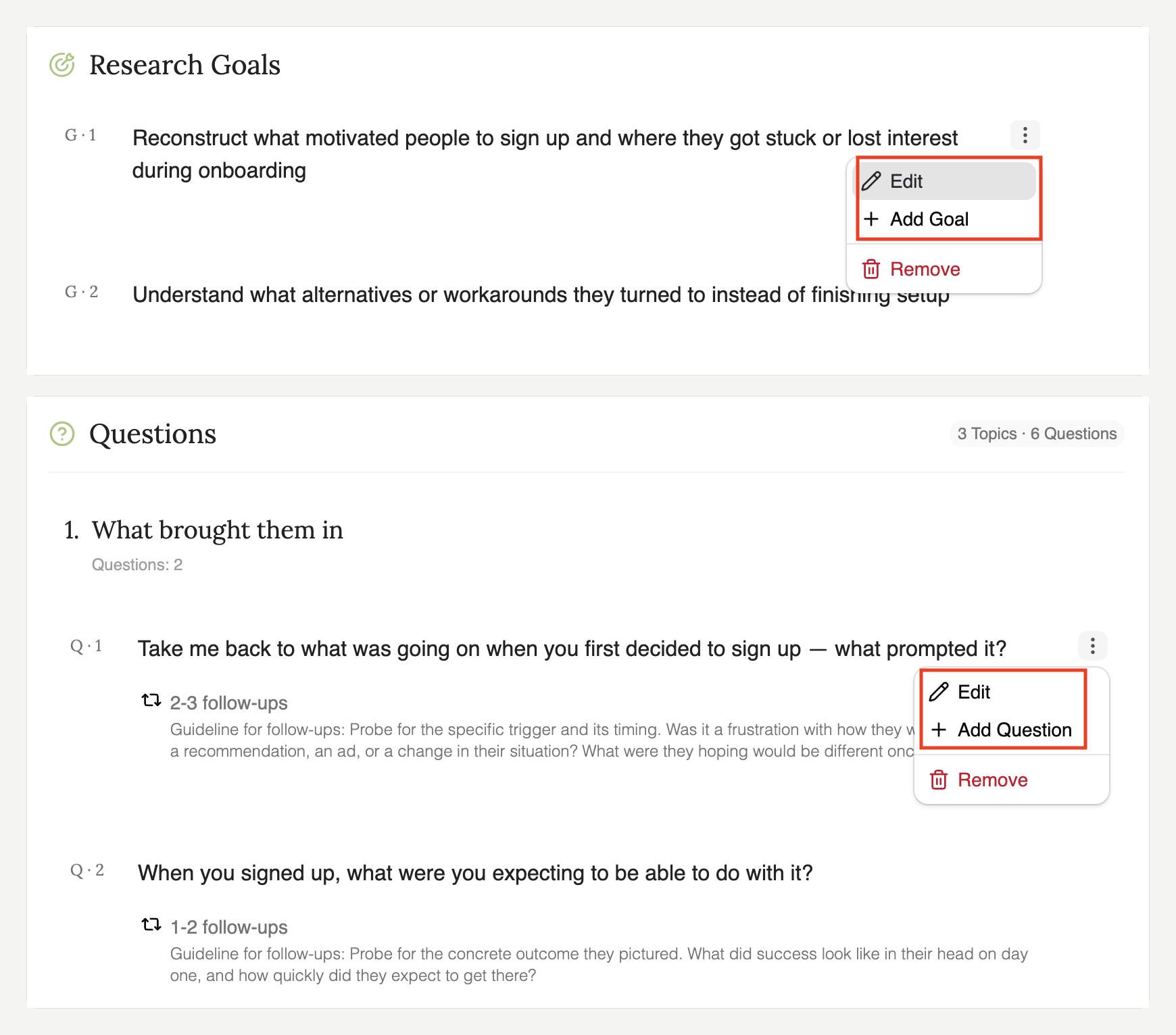
Every part of your Research Guide is yours to edit — goals, questions, the order they come in, follow-up depth, probing guidelines, and the welcome and closing messages.
Your follow-up settings feed straight into the live interview alongside your goals and questions, so the behaviour you configure is the behaviour your customers get.
What to do with it
Set how deep the follow-ups go. Follow-up depth and probing guidelines are yours to configure per question and study. Let Frank take a short answer on the easy questions, and tell it to keep pushing on the one you actually built the study around.
Drag your questions into the order you want. Order changes answers. Ask about price before you've established what someone was trying to achieve and you'll get a different response than if you ask it after. Reorder by dragging.
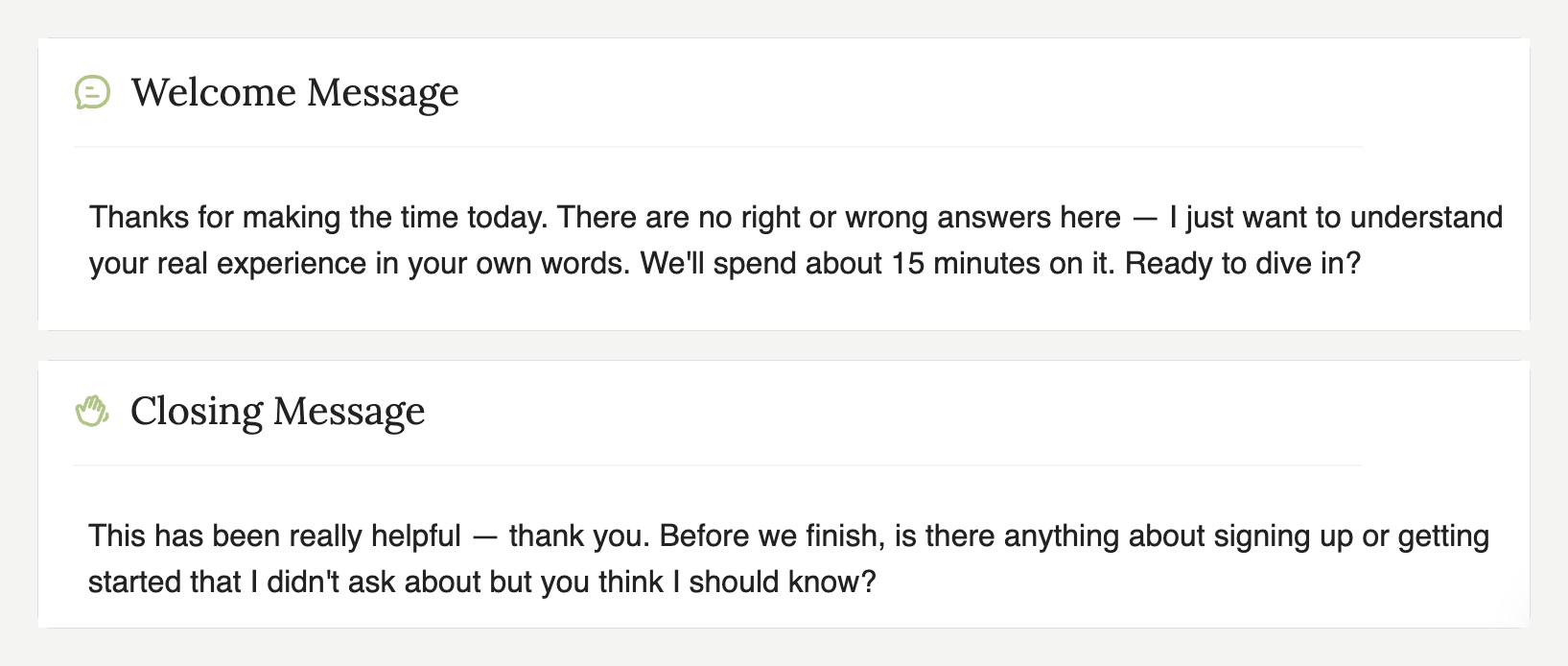
Write the welcome and closing messages. Both are editable, so the interview opens and signs off in your voice rather than a default one — and your customer knows who they've been talking to.
"Something else" catches what you didn't think of. When you’re setting up your interview, Frank helps by presenting options for you to select. Now option lists end with a free-text input, so if the answer you’re looking for isn't in the list can just say it.
Getting started
1. Start a new research project and go to the Research Guide.
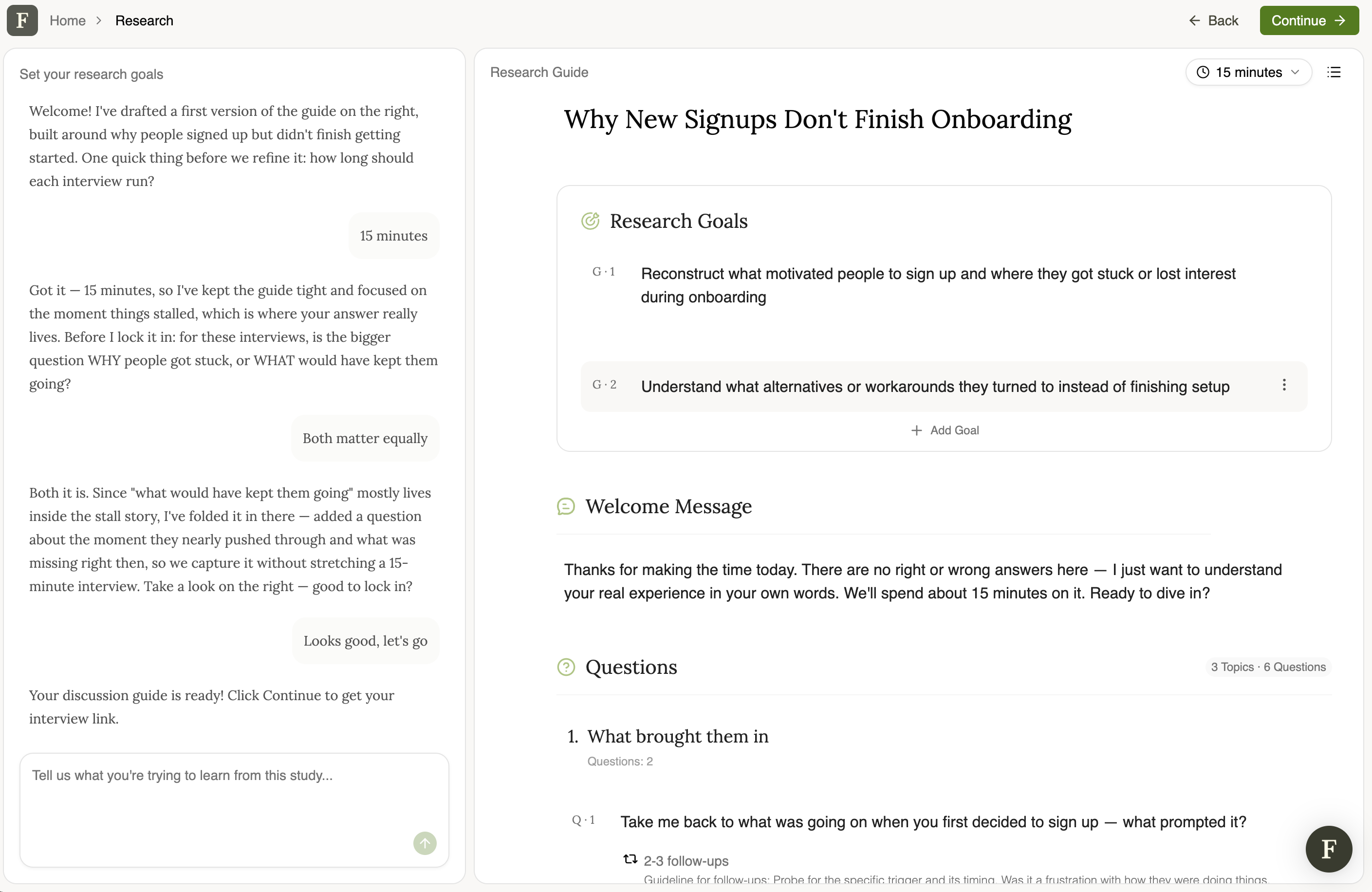
2. Edit your goals and questions, drag them into the order you want, then set follow-up depth and probing guidelines.
3. Write your welcome and closing messages, and use the AI Researcher chat beside the builder to reword anything you'd rather it asked differently.
Full setup steps are in the knowledge base.
One Request to Create a Study
For anyone setting studies up through the API rather than the dashboard: creating a research project used to mean firing a request and then polling until it was ready. Now a single call returns a draft immediately, and you can carry straight on to configuring it.
Smaller than it sounds, unless you've written the polling loop.
Also in this release
- Study creation flow has been restyled to match the rest of Frank.
- Fixed: the breadcrumb briefly showing "Research" before resolving to your study title.
- Fixed: the breadcrumb missing its product step, so there's a way back again.
Frank runs your customer interviews so you can get back to building.
You still decide what to ask and how hard to dig — Frank just does the two hundred conversations, at whatever hour your customers are free.