Personalize Your Welcome Message

April 30, 2026
Also in this release:
- Fixed interviews dropping when running at scale
- Research guide creation simplified
Greet your customers the way you want
A customer clicks your link and an AI interviewer picks up. There's a beat of hesitation before they say anything: Who is this? What's it for? How long is this going to take?
Handle that beat well and you get a real conversation. Handle it badly and they hang up — and a dropped interview isn't just a missing data point. It's the churned customer who never told you why.
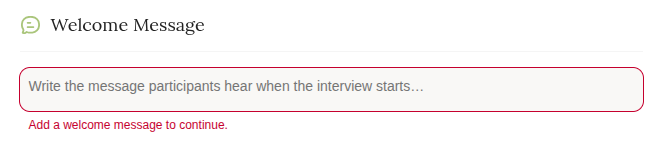
Until now, Frank opened every call the same way. From this release, you write the opening line yourself.
What to do with it
Say who you are. "Hi, I'm calling on behalf of [Brand] — thanks for taking a few minutes" lands differently from a cold start. Your customer agreed to talk to you, so the interview should sound like you.
Set expectations immediately. How long it'll take. Roughly how many questions. What happens to their answers. Most drop-offs are uncertainty, not unwillingness.
Match the greeting to the trigger. A post-churn interview shouldn't open like an onboarding one. If you're firing interviews on different events across your product and site, each flow can now introduce itself properly.
Lead with the incentive. If there's a discount code or gift card at the end, say so in the first sentence rather than the last.
Getting started
- Open the research project you want to change, or start a new one with the AI Researcher.
- Set your greeting in the Research Guide
- Run one interview on yourself before you send it out. Hearing your own greeting read aloud is the fastest way to tell whether it's too long.
Full setup steps are in the knowledge base.
Interviews that start when you need them to
The rest of this release went into the part of Frank you shouldn't have to think about.
Interview calls now retry automatically when the connection drops. This was the cause of the occasional call that failed to start when a lot of interviews were running at once — the exact moment you least want a failure, because those participants are hard to win back.
We also enabled prompt caching on two of the heaviest steps in the pipeline: generating your Research Guide, and processing transcripts after a call. Both are now faster. If you've sat waiting on the AI Researcher while it drafted your guide, you'll definitely notice the difference!
Smaller things
- Delete a research project from the 3-dot menu on your dashboard. It's a soft delete, so if you remove the wrong one it can be recovered.
- Project name in the breadcrumb so you always know which research you're looking at when you're moving between tabs.
- Dropped interviews now show their date in the Interviews table, so you can see when people are dropping, and adjust your strategy as needed.
Frank runs your customer interviews so you can get back to building. If you've been meaning to talk to your customers for two quarters and haven't found the time, that's the problem it exists to solve.