Churn metrics are the world's worst breakup text. "It's not you, it's the algorithm." Your dashboard turns red, someone cancels, and the reason field just says "Other". Thanks, very helpful.
Here's the annoying truth: knowing that someone left tells you nothing about why. And "why" is the only part you can actually fix.
Luckily, 2026 handed us a whole new category of tools built for exactly this. They sit down with churned customers and just ask. Politely. A few times in a row. Until the real reason finally shows up.
So instead of guessing from a checkbox survey, here are the best tools actually built to get you the truth about churn.
Key Takeaways
- Frank is best for always-on churn interviews that fire the moment someone hits cancel, with insights ready by morning.
- User Intuition is best for deep-dive churn studies that ladder 5-7 "whys" deep, backed up with real customer quotes.
- Perspective AI is best for teams that already have a prediction tool and just need the missing "why" layer bolted on.
- TheySaid is best for a fast, no-fuss way to run churn and win-loss interviews straight from email or in-app.
- Outset is best for enterprise teams running churn and retention research at serious scale, across voice, video, and text.
- Contentsquare is best for grounding the "why" in what customers actually did on your site, not just what they say after the fact.
How We Ranked These Tools for Churn
We ranked these on one question: does it get you to the real reason someone left, in time to act on it before the next customer walks out the same door? Five things mattered.
The table's done, the decision's not. Here's the deeper look at each tool: how it works, who it's actually for, where it comes up short, and what it'll cost you.
The 6 Best Tools for Understanding Why Customers Churn
1. Frank
Who is this tool best for?
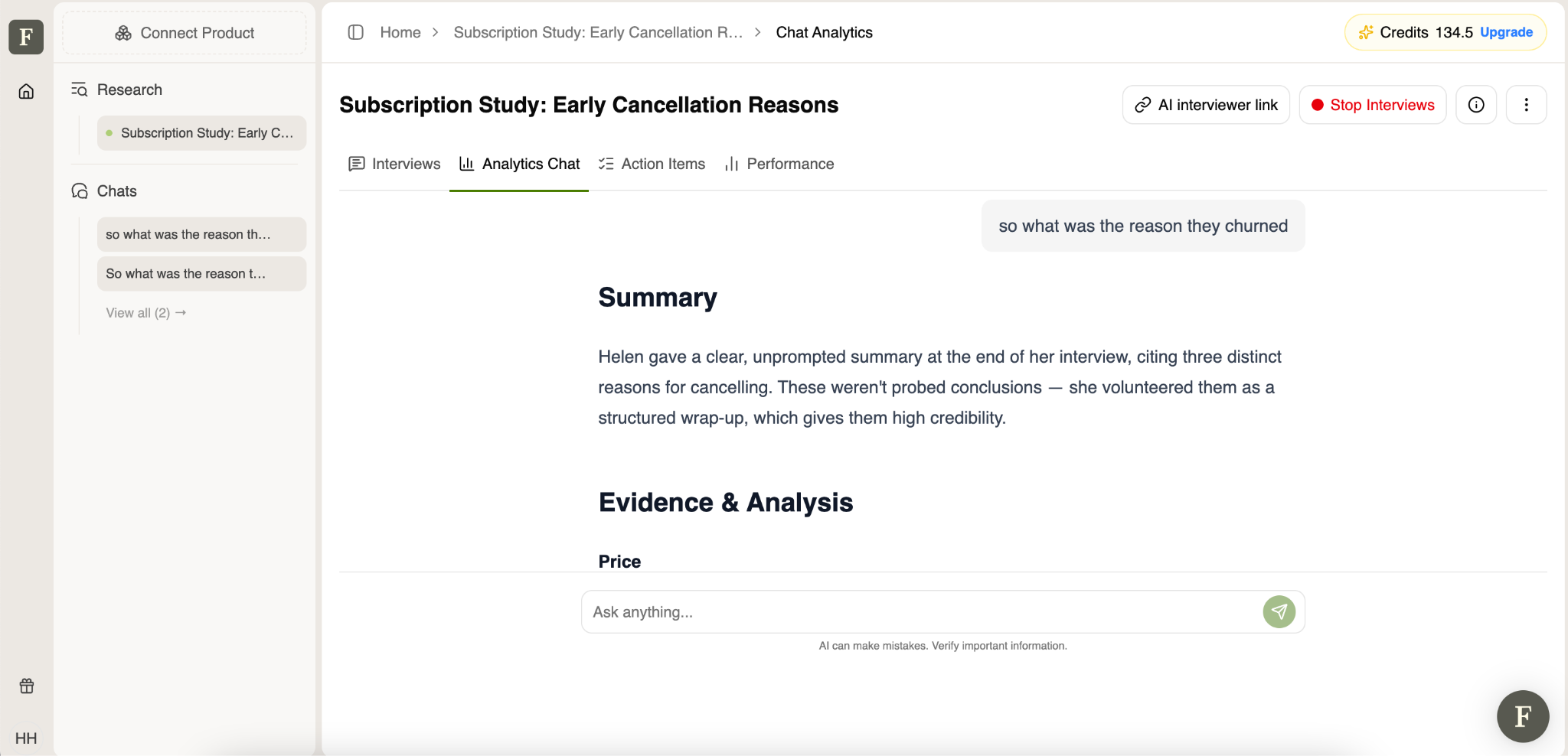
Frank is best for founders, PMs, and CS leads who want to catch a customer's real reason for leaving, not the vague answer you get a week later, after they've already forgotten.
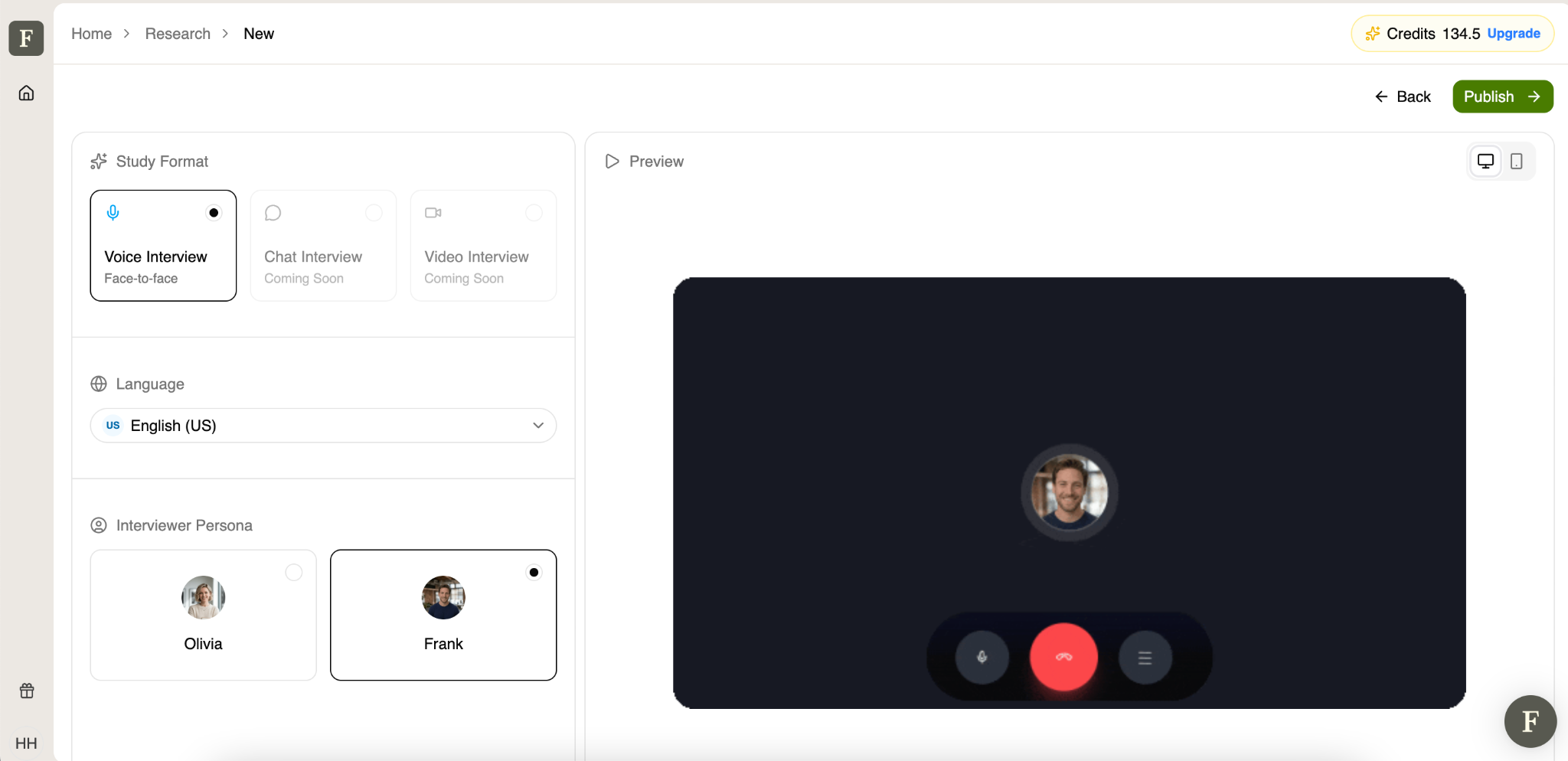
Most churn research happens weeks after the fact, filtered through a support ticket or a CSM's memory of a call. By then, the customer has moved on, and the reason has flattened into something vague and safe, which is really the whole problem with getting churned customers to actually talk to you. Frank is an AI Interview that runs the interview right at the moment it matters: when someone hits cancel, so the answer is still specific instead of retroactively polite.
It's built to plug into the moment of departure itself rather than a scheduled research cycle. Instead of a fixed script, Frank adapts its follow-ups based on what the customer actually says, which is the same logic behind why laddering-style interviews (the "why, then why again" method used across several tools on this list) consistently surface deeper reasons than a one-shot exit survey ever does.
Core features
- Always-on AI interviews triggered by cancellation or churn risk
- Natural voice conversations (video and WhatsApp chat in development)
- 30+ language support
- 24/7 availability, no scheduling or no-shows
- Runs 100+ interviews simultaneously
- Adaptive follow-up questioning instead of static scripts
- Automated overnight summaries
- Transcript and recording-level transparency
Limitations
- Not built for advanced concept or Figma-prototype testing
- No built-in participant panel; needs an existing customer list
Pricing
- Free: 60 voice minutes/month, ~4 interviews
- Starter: $49/month (billed annually), 120 voice minutes, ~8 interviews, 50 chat conversations
- Growth: $166/month (billed annually), 450 voice minutes, ~30 interviews
- Business: $312/month (billed annually), 950 voice minutes, ~63 interviews
2. User Intuition
Who is this tool best for?
User Intuition is best for teams that want to go past the first answer and actually reach the mechanism behind the cancellation.
- Structured, recurring churn-interview programs
- Diagnosing hesitation in at-risk accounts before renewal
- Building a searchable library of churn "why" over time
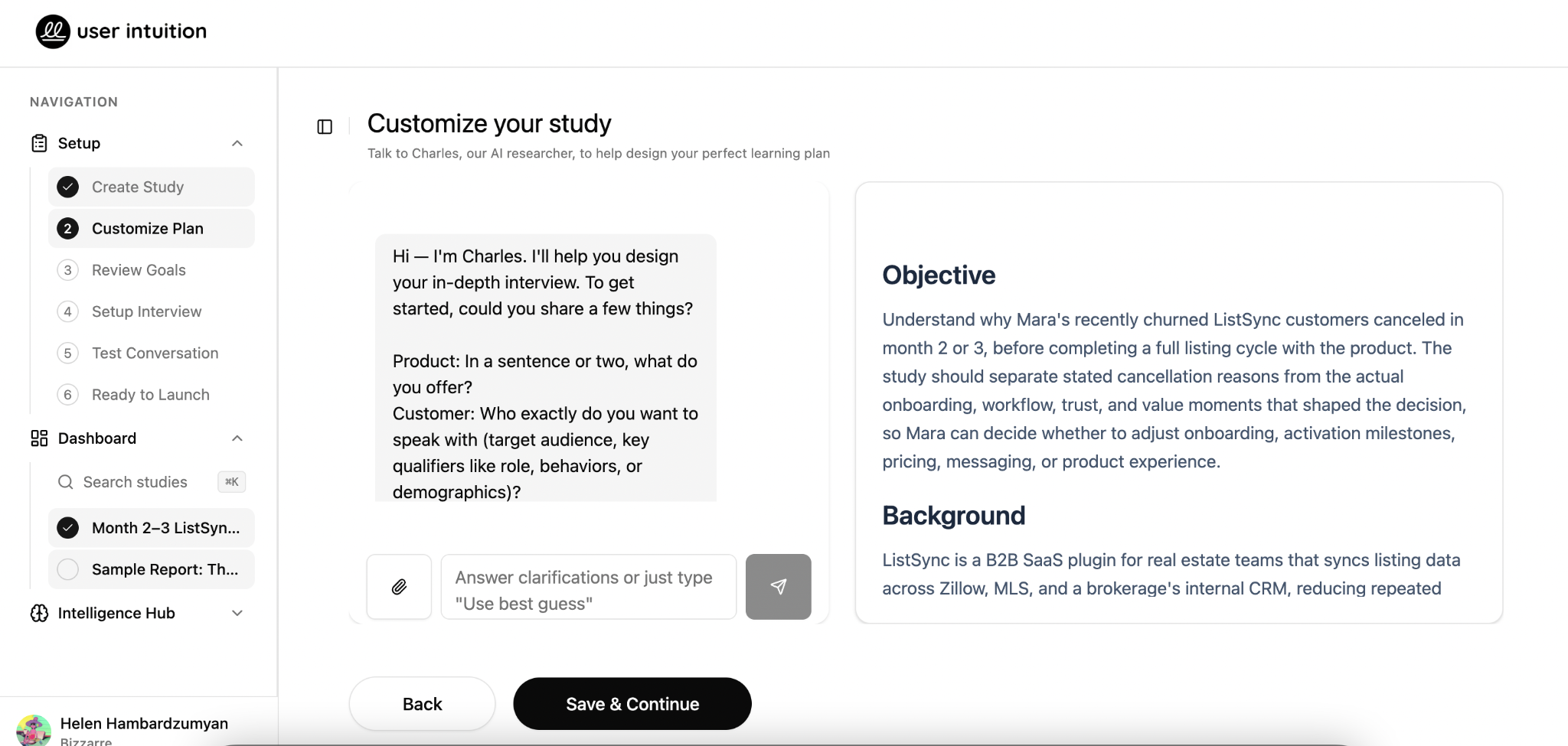
Exit surveys stop at the first plausible answer, right where the useful part of the conversation was about to start. User Intuition also uses a laddering method, rooted in a decades-old marketing research technique (Gutman, 1988), asking why, then why again, then why again, to trace the full arc from "satisfied" to "gone" and land on the actual tipping point instead of a checkbox reason.
Capterra reviewers describe the transcripts as "genuinely better than most agency-run focus groups," with one buyer noting they no longer need a research team involved to get a study fielded the same week. The tradeoff mentioned in that same review is worth flagging: it's built for qualitative depth, not statistical significance, so pair it with a quant tool if you need hard percentages.
Core features
- AI-moderated voice interviews
- 5–7 levels of "laddering" per conversation
- Verbatim customer quotes in every output
- 24–48-hour turnaround
- Pre-cancellation interviews for at-risk accounts flagged by a prediction tool
- Searchable Intelligence Hub for longitudinal patterns
- Consistent methodology across every conversation, no interviewer variance
- Every interview is automatically scored against the research brief before it's counted
Limitations
- Not a churn-prediction tool, needs another system to flag and route churned or at-risk customers
- Diagnosis only, not orchestration or health scoring
- Qualitative by design, not built for statistical/quant reporting
- Best value shows up as an ongoing program, less suited to a single one-off check
Pricing
- Pay-per-quality-interview model
- Individual studies reportedly start around $150, with per-interview costs around $25
3. Perspective AI
Who is this tool best for?
Perspective AI is best for teams that already have a prediction tool flagging risk and are missing the "why" layer underneath it.
- Pairing with an existing health-score or CS platform
- Exit interviews for lost accounts
- At-risk interviews before the renewal decision is final
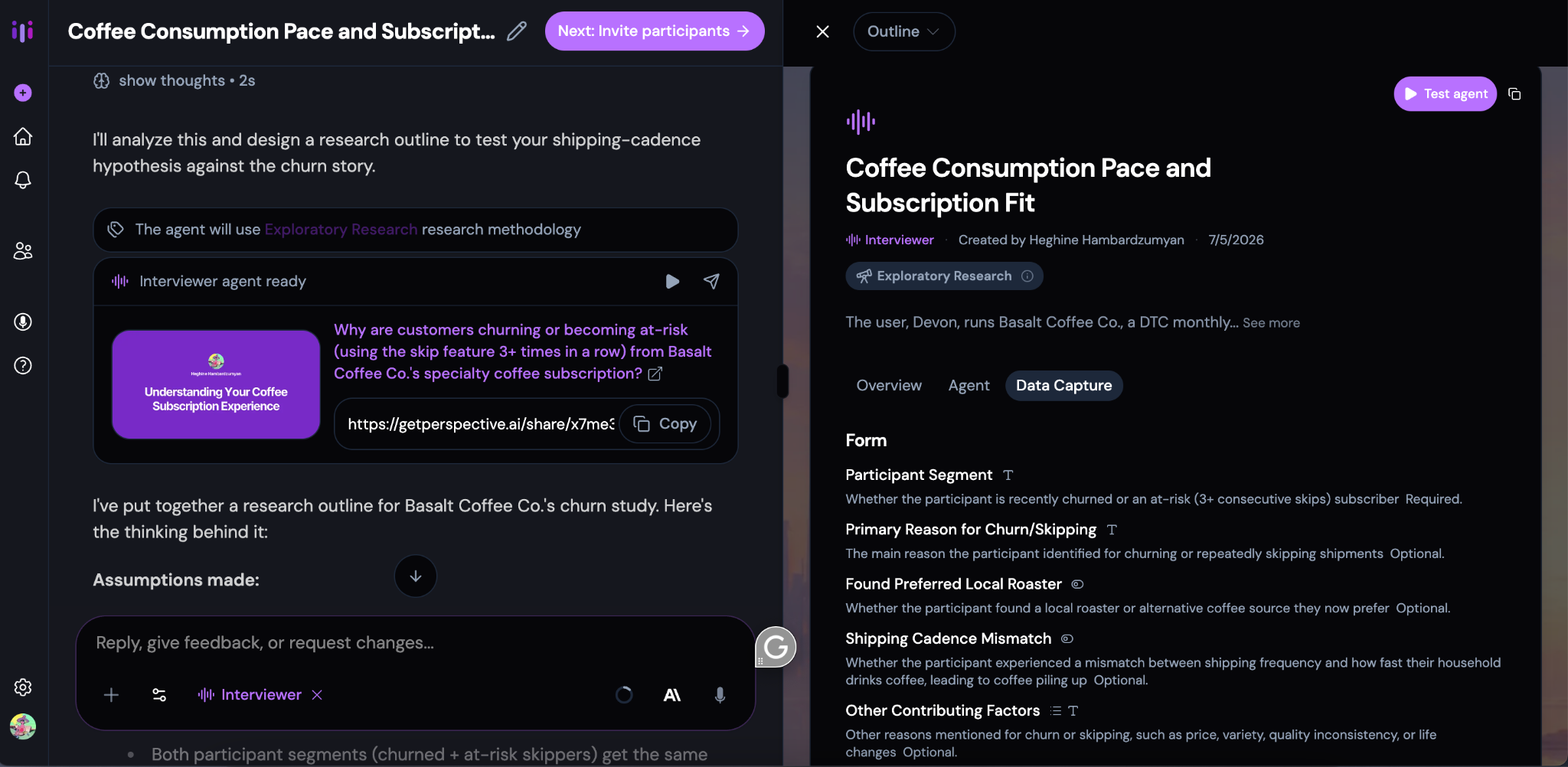
Its core argument is that a risk score tells you who's leaving, not what to change so they stop leaving. Prediction platforms like ChurnZero, Gainsight, and Vitally are strong at flagging the account, but the "reason" data behind that flag usually comes from a CRM dropdown or a CSM's notes like sparse, and biased toward whoever complained loudest. Perspective AI is a good example of how AI is finally answering founders’ questions prediction tools were never built to answer: not who is leaving, but why. Perspective AI sits downstream of that, running the actual conversation, with lost accounts especially, since a customer who's already gone has no relationship left to manage and no reason to soften the truth.
Core features
- Conversational exit interviews for churned accounts
- Conversational at-risk interviews before cancellation
- Designed to pair with prediction/CS platforms rather than replace them
- Captures unmet need and "why now," not just stated reason
- Continuous, always-on interview cadence
- Feeds into a broader closed-loop feedback workflow
Limitations
- Built to complement a prediction tool, not stand alone as one
- Best suited to teams that already have a way to identify at-risk or churned accounts
- Less useful without an existing retention program to plug into
Pricing
- Free: 250 credits
- Pro: $99/month — 1,000 credits
- Enterprise: custom pricing, plus a full-service Research-as-a-Service option
4. TheySaid
Who is this tool best for?
TheySaid is best for teams that want churn interviews running fast, without standing up a whole research process first.
- Post-cancellation interviews sent via email or in-app
- Combined churn + win-loss research
- Startups and small teams testing the waters before committing to a bigger tool
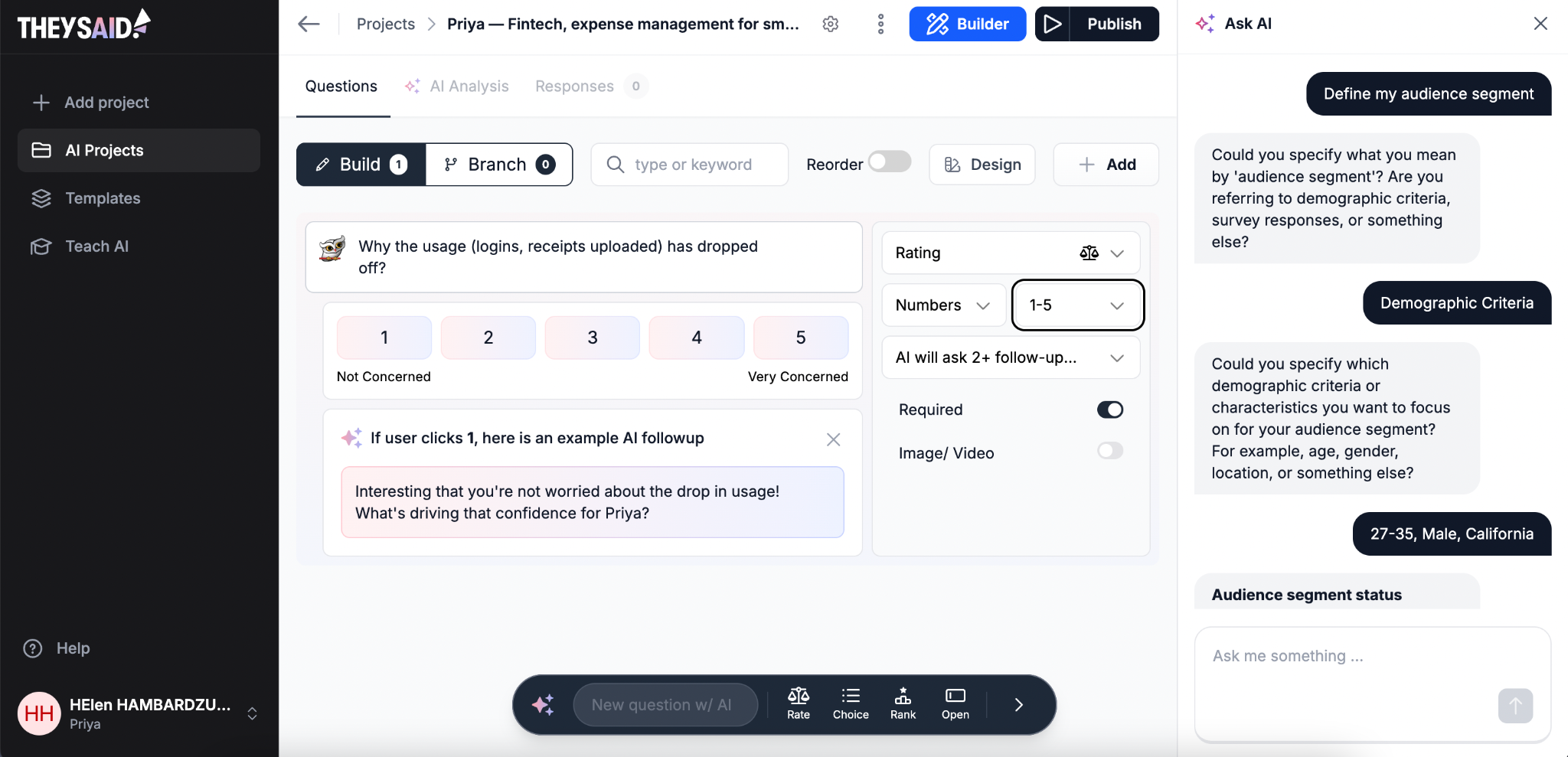
TheySaid leans conversational rather than clinical. The company's own framing is that it's "not your grandpa's feedback tool," and reviewers back that up: one G2 reviewer, a DevSecOps engineer who used it for pricing research, put it this way: "theysaid helps me catch the hesitation, the moment something does not add up for them, the comparison they are making in their head. None of that shows up in a form." That's the whole pitch in one sentence, a live conversation surfaces the doubt a checkbox never will, which tends to raise completion rates compared to a static form. It delivers through channels customers already trust, such as email and in-app messages, instead of asking them to book a call or download something new.
It also pairs churn interviews with win-loss analysis: understanding why people leave and why people almost didn't buy in the first place are two halves of the same story.
Core features
- AI-moderated voice and text interviews
- Delivered via email, in-app, social, or shareable link
- Live AI moderation on every plan, including Free
- Conditional logic and adaptive follow-ups
- 70+ language support
- Combined churn and win-loss workflows
- AI-generated summaries and highlight clips
- CRM/support tool integrations (HubSpot, Zendesk, and others)
Limitations
- Lighter-weight than laddering-style deep-dive tools
- Less built for large, structured enterprise research programs
Pricing
- Free: limited monthly responses, all AI features included
- Paid tiers: ~$29–49/month range depending on volume, billed annually
- Enterprise/nonprofit: contact sales
5. Outset
Who is this tool best for?
Outset is best for enterprise teams that want churn and retention research folded into a bigger, structured research program rather than run as a standalone task.
- Large-scale churn and retention studies
- Multilingual research across markets
- Teams also running usability, concept, or segmentation studies on the same platform
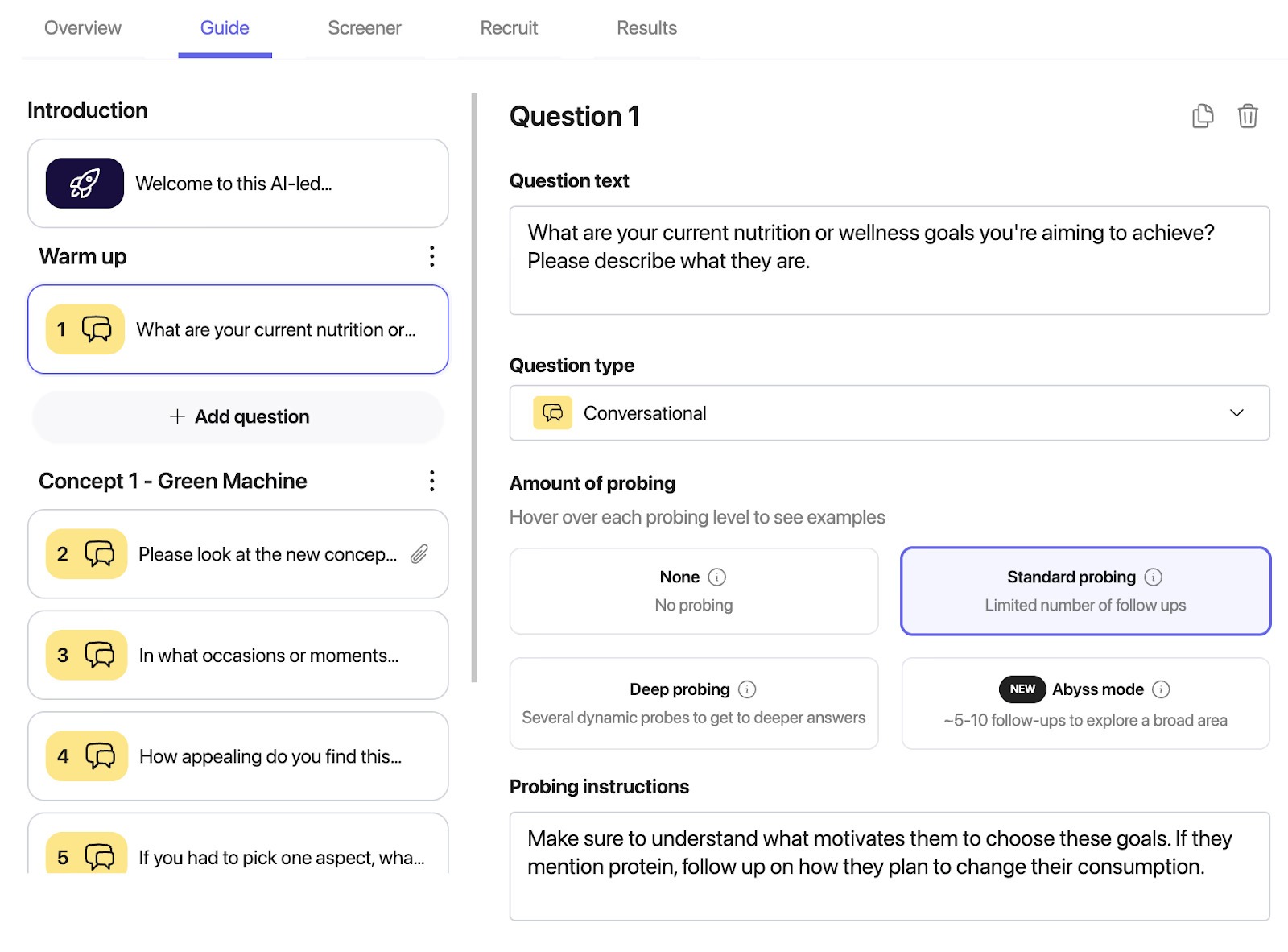
Outset's pitch is speed at a scale a human moderator can't touch. One customer testimonial on the company's site put it bluntly: they'd never have been able to moderate 50 sessions in a reasonable amount of time, but with Outset "you can run 50 interviews while you're on a 20-hour flight." Its AI moderator dynamically probes based on how someone answers up to 10 smart follow-ups per question, so it keeps pushing toward the actual "why" instead of accepting the first response.
Backed by $17M in funding and originally launched through Y Combinator, Outset has grown from a general AI-interview startup into a full research platform spanning usability testing, concept testing, and market research which is exactly why it belongs on a churn list even though churn isn't its single focus: teams that need retention research to sit next to other research methods, all synthesized the same way, tend to land here.
Core features
- AI-moderated interviews across video, voice, text, and voice-to-voice
- Up to 10 dynamic follow-up probes per question
- Multilingual research in 40+ languages
- Customizable moderator style and probing rules
- Automated theming, summaries, and highlight reels
- Fraud detection on participant responses
- Integrated recruiting via 25+ panel partners
- Enterprise security (SOC 2 Type II, GDPR)
Limitations
- Heavier setup than a founder-led team typically needs for churn alone
- Built for broad research programs, not a single-purpose churn tool
- Custom pricing only, no public self-serve tiers
Pricing
- Custom, built around research needs, team size, and add-ons
6. Contentsquare
Who is this tool best for?
Contentsquare is best for teams that want the "why" grounded in what customers actually did on-site, not just what they say afterward.
- Understanding drop-off points before cancellation
- Pairing exit-intent surveys with behavioral evidence
- Teams that already use Contentsquare for UX analytics
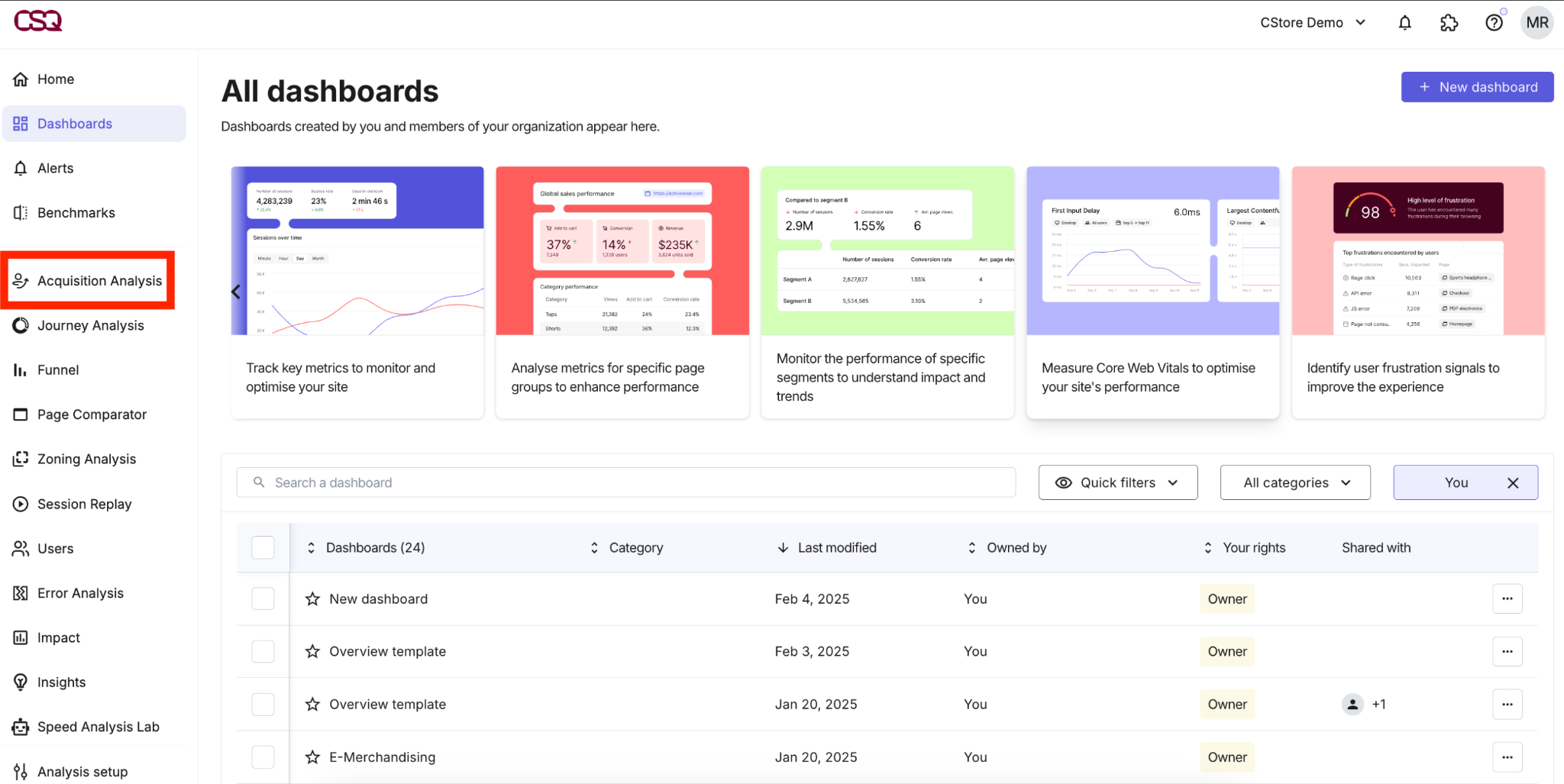
This tool is a bit different from the interview-first tools on this list: instead of asking a customer to narrate their own experience after the fact, Contentsquare shows you the session itself: the rage clicks, the dead ends, the moment someone gave up alongside a survey asking them directly what went wrong. Its AI layer, Sense, summarizes survey responses instantly, so the qualitative side doesn't require manual read-through of hundreds of open-text answers. The timing matters here too because asking the right questions after purchase to reduce churn can catch friction while it's still just annoyance, well before it hardens into a reason to leave.
That combination matters because customers don't always narrate their own frustration accurately; sometimes the friction shows up in the clickstream well before it shows up in what they say out loud. It's a heavier, broader platform than a dedicated churn tool, but for teams already running Contentsquare for UX work, layering churn diagnosis on top is a low-lift addition rather than a new tool to onboard.
Core features
- Exit-intent and targeted surveys
- Session replay and heatmaps
- AI-powered response summarization (Sense)
- Rage-click and friction-point detection
- Segment-targeted survey delivery
- Behavioral + qualitative data in one view
Limitations
- Not an adaptive AI interviewer, no dynamic follow-up dialogue like the other tools here
- Broader CX/analytics platform, not a dedicated churn tool
- Best value comes from also using it for UX analytics, not churn interviews alone
Pricing
- Free plan available
- Growth: from $39/month
- Pro: custom pricing
- Enterprise: custom pricing
Conclusion
A dashboard turning red tells you something happened. It doesn't tell you why, and why is the only piece you can actually build a fix around.
None of these six are competing for the same job, which makes the choice easier than it looks. Frank catches the reason at the exact moment someone cancels. Perspective AI fills the gap underneath a health-score tool you already trust. User Intuition keeps asking until it hits the real mechanism, not the first convenient answer. TheySaid gets a conversation running this week, no research team required. Outset carries the weight of enterprise-scale, multi-market studies. Contentsquare backs up what customers say with what they actually did on-site.
Match the tool to the stage you're actually at, not the one with the flashiest demo, and you'll walk away with something worth acting on.

FAQ
What's the difference between churn prediction tools and churn "why" tools?
Prediction tools like ChurnZero or Gainsight flag which accounts are at risk based on usage signals. They're good at the "who," not the "why" that data usually comes from a thin CRM dropdown.
Are AI interviews better than a traditional exit survey?
For catching the reason while it's fresh, yes. Exit surveys get low response rates, and answers are filtered down to whatever's easiest to click. With AI interviews, the answer is still specific instead of flattened weeks later.
What do I actually get back after an AI interview? Just a transcript, or something else?
For example, Frank hands back full transcripts and recordings for anyone who wants to verify a finding word-for-word, but the default output is an automated summary: themes, sentiment, and the specific reasons pulled out of the conversation, ready by morning without anyone having to sit through the raw audio.
Which tool works best for enterprise-scale research?
Outset. AI-moderated interviews across video, voice, and text, in 40+ languages, with enterprise-grade security and panel integrations. User Intuition and Perspective AI also scale well for ongoing programs, but they're built around the interview itself rather than a full multi-method platform.
Can I combine a behavioral tool like Contentsquare with an AI interview tool?
Yes, and it's a strong pairing. Contentsquare shows what happened on-site before cancellation; Frank or User Intuition capture what the customer says about it afterward. Behavior shows where the friction was; the interview shows what it meant.
Which tool is cheapest to start with?
Frank and TheySaid both have usable free plans, making them low-friction ways to test whether AI churn interviews are worth it before committing budget. User Intuition's pay-per-interview model also works well for a single one-off study.
What should I actually look for in a churn "why" tool?
How deep it digs past the first answer, how fast it reaches the customer after cancellation, how usable the output is, how well it fits next to what's already flagging at-risk accounts, and whether your team can run it without a dedicated researcher.