
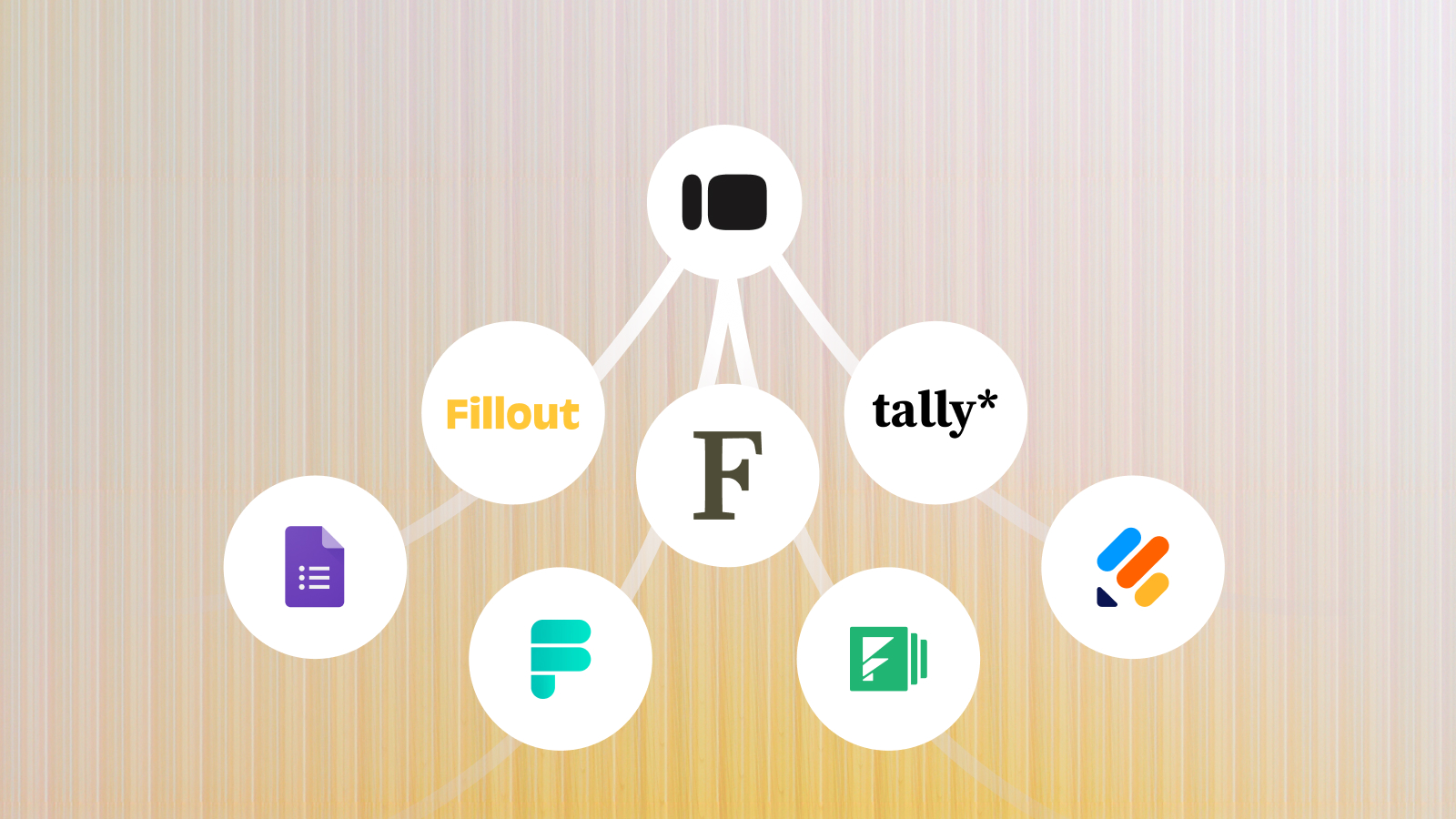
I've spent the last few weeks reviewing Typeform's pricing, response limits, and alternatives. My top picks: Tally and Google Forms for free forms, Fillout for database integrations, Jotform for payments, Formstack for enterprise workflows, Formbricks for open-source flexibility, and Frank for AI-moderated customer interviews.
In my opinion, most “best Typeform alternatives” articles get one thing wrong: they treat every tool as a direct competitor. But people switch for different reasons: lower costs, better integrations, or a way to understand why customers behave the way they do.
Those are three different problems, and no single tool solves them all. That's why I've grouped these seven alternatives into affordable form builders, enterprise workflows, and AI-powered customer research.
All pricing below was checked against each vendor's own pricing page on 6 November 2026. Where a price has two figures, the lower is annual billing and the higher is month-to-month.
Why People Leave Typeform: Price, Integration Friction, and Depth
People look for a Typeform alternative for three reasons, and they are not the same. The first is cost, usually triggered by a response cap rather than the monthly bill itself. The second is integration friction — needing data to land in Airtable, Notion, or a database without Zapier sitting in the middle. The third is the one people struggle to name: the form works, but it isn't answering the question they actually have.
The cost trigger is the most common, so it's worth being precise about what happens when you hit it.
As stated in Typeform's help center, when an account reaches 100% of its monthly response limit, Typeform switches the affected forms to "Private mode." New visitors see a message that the form is closed because the creator hit their response limit. Forms reopen automatically at the start of the next billing cycle, or immediately if you buy an add-on or upgrade. There's no automatic overage billing — you have to buy more responses proactively. And deleting existing responses doesn't free up room; the cap applies account-wide, not per form.
The Real Cost-Per-Response Math
Here's a number I don't see calculated consistently anywhere else, and it's the single most useful thing you can take from this section. Typeform's own pricing, with the included response cap divided into the price:
| Plan | Annual (per mo) | Monthly | Responses included/mo | Cost per response |
|---|---|---|---|---|
| Basic | $25 | $29 | 100 | $0.25–0.29 |
| Plus | $50 | $59 | 1,000 | $0.050–0.059 |
| Business | $83 | $99 | 10,000 | $0.0083–0.0099 |
Typeform's entry plan is roughly thirty times more expensive per response than its Business tier. That's the real shape of the pricing, and it's invisible if you only compare monthly prices.
Two things most articles skip. Typeform's comparison table also lists a maximum monthly response limit above the included base — 750 on Basic, 2,500 on Plus, 50,000 on Business — which is what you can buy up to with add-ons before you're forced to change tier. And Typeform's plan cards and its own comparison table currently show different prices for the same plans; the figures above are from the comparison table.
I'll carry this same per-response lens through every tool below.
The Hidden Cost of Collecting Less
When a response cap forces a choice between paying more and collecting fewer responses, smaller teams tend to quietly choose the second. You survey as many people as your plan allows, not as many as your research actually needs.
That's not just an inconvenience. It's a sampling bias you're introducing into your data, and you probably don't notice because the cap feels like a budget constraint, not a methodology one. If you're a UX researcher reading this, that's the real cost of a low response cap not the dollars, but what it does to how representative your data actually is.
Affordable and Free Static Form Builders
These three solve the price problem specifically. If your form works fine and your only complaint is the bill, start here.
Tally
Best for: builders and small teams who want a genuinely free, Typeform-lookalike form with none of the response anxiety.

Tally is the closest thing to a free Typeform clone available. Tally uses the same block-based, one-question-feel editor, and its free tier covers unlimited forms and submissions under a fair-use policy rather than a published numeric cap. Conditional logic is included free, and Tally connects natively to Zapier, Airtable, and Notion.
Pros
- Unlimited forms and submissions on the free tier, under fair use
- Conditional logic included free
- Native Zapier, Airtable, and Notion integrations
Cons
- "Fair use" means no guaranteed ceiling at high volume — the policy, not a number, is your limit
- Tally branding stays visible until you upgrade
- Drop-off analytics and custom domains are locked to Pro
Pricing: Free tier with unlimited submissions under fair use. Pro is $24/month and adds drop-off analytics, custom domains, and branding removal. Business is $74/month and adds data retention controls, email verification, and 90-day version history. Tally publishes no response allowance on paid plans, so there's no per-response figure above free, but since free is uncapped, that mostly doesn't matter.
Cost per response: $0 on the free tier, at any volume fair use permits.
Google Forms
Best for: teams already living in Google Workspace running simple, low-volume surveys.

Google Forms is free, and its response ceiling is roughly 400,000 response "cells" per account — about 40,000 responses on a 10-question form. That's generous enough that almost no small business will reach it.
One correction, because the same wrong claim appears across several competing articles: Google Forms is not limited to zero branching logic on the free tier. It supports basic "go to section based on answer" skip logic for free. What's actually gated behind Google Workspace is deeper multi-condition logic, not branching itself. If you've read that Google Forms has no free logic at all, that's inaccurate.
Pros
- Completely free, with a response ceiling most small teams won't hit
- Deep native integration with Google Sheets
- Basic skip logic included for free (contrary to what several competing articles claim)
Cons
- Minimal design and branding control
- No native drop-off analytics or AI-assisted analysis
- Deeper multi-condition logic requires a Workspace upgrade
Pricing: Free, including the full ~40,000-response ceiling. Google Workspace runs $6–18/user/month and unlocks deeper multi-condition logic, but the form limits don't change.
Cost per response: $0, up to roughly 40,000 responses.
Fillout
Best for: Notion- or Airtable-centric teams who want forms written directly into their existing database without middleware.

Fillout has the most generous "true free" cap of the mainstream static builders: 1,000 responses a month, free, with unlimited forms. What sets Fillout apart structurally is native database sync on every tier, including free, which removes the Zapier middleman most other tools require.
Fillout also includes conditional logic on the free plan — its own comparison table marks conditional logic as "included in free." Several competing articles claim Fillout gates branching behind a paid tier. That's wrong, in the same way the Google Forms claim above is wrong.
Pros
- 1,000 free responses/month — the most generous true-free cap among static builders
- Native database sync (Notion, Airtable, Sheets, Supabase) on every tier, including free
- Conditional logic included free, not gated behind a paid plan
- Unlimited forms on the free plan
Cons
- Custom domains require the top Business tier, not the mid tier
- Fillout branding stays on the free tier, and removing it requires Pro
- Form analytics and partial submissions are Business-only
Pricing: Free plan includes 1,000 responses per month. Starter costs $15/month for 2,000 responses. Pro costs $40/month for 5,000 responses, with branding removal and custom CSS. Business costs $75/month for unlimited responses, custom domains, and form analytics.
Prices are based on annual billing.
Cost per response: 0free,**0.0075 on Starter, $0.008 on Pro** — cheaper per response than Typeform's Business tier, at a twentieth of the price.
Free Form Builders Compared: Tally vs Google Forms vs Fillout
| Tool | Free tier cap | Entry paid plan | Responses included | Cost per response (paid) | Logic on free tier |
|---|---|---|---|---|---|
| Tally | Unlimited (fair use) | $24/mo (Pro) | Not published | Not calculable | Yes |
| Google Forms | ~40,000 responses | $6–18/user/mo (Workspace) | Unchanged | N/A | Basic skip logic, yes |
| Fillout | 1,000 responses/mo | $15/mo (Starter) | 2,000 | $0.0075 | Yes |
Fillout is the only one of the three that publishes a response allowance on its paid plans, which is why it's the only one with a calculable per-response cost and that cost undercuts every Typeform tier.
Enterprise and Database-Connected Form Workflows
These three solve a different problem: you need more than a form. Payments, documents, compliance, or infrastructure control.
Jotform
Best for: teams that want an all-in-one form, payment, and document workflow builder with heavy template reuse.

Jotform has the largest template library of the group and native payment integrations. Jotform connects directly to Stripe, PayPal, and Square, offers HIPAA compliance on its Gold tier and up, and includes conditional logic at every pricing tier, including free.
Pros
- Native payment integrations (Stripe, PayPal, Square)
- HIPAA compliance available on Gold tier and up
- Conditional logic included at every pricing tier
Cons
- Free tier caps you at 5 forms and 100 submissions/month
- Unused monthly submissions don't roll over
- HIPAA requires jumping to Gold, three tiers up from entry
- Branding removal requires a paid tier
Pricing: Free plan includes 5 forms and 100 submissions per month. Bronze costs $34/month with annual billing or $39 monthly for 1,000 submissions. Silver costs $39/month annually or $49 monthly for 2,500 submissions. Gold costs $99/month annually or $129 monthly for 10,000 submissions and includes HIPAA compliance.
Cost per response: 0free,**0.034 on Bronze, $0.016 on Silver, $0.0099 on Gold.** Gold and Typeform Business cost almost exactly the same per response, at the same 10,000-response allowance.
Formstack
Best for: mid-size or enterprise operations teams that need forms tied directly into document generation and compliance workflows.

Formstack is built for workflow, not just form collection. A Formstack submission can trigger document generation, route the document for e-signature, and push the result into Salesforce or Mailchimp without anything in between — which is what the price is actually buying. If all you need is a form that collects answers, you are paying for a layer you won't use.
Pros
- Deep workflow automation and Salesforce/Mailchimp/Drive integrations
- Document generation and e-signature bundled into the Suite tier
- Built for compliance-heavy, document-driven workflows
Cons
- No permanent free plan — 14-day trial of the Forms product only
- The Forms plan is a single builder seat
- Submissions are capped per form, not pooled across your account
- Cost climbs steeply once you add the document and e-sign layer
Pricing: No free plan. Forms costs $83/month with annual billing or $99 monthly and includes 25 forms, 1,000 submissions per form, and 2GB storage. Suite costs $250/month annually or $299 monthly and includes 100 forms, 5,000 submissions per form, 250 document deliveries per month, and unlimited eSignatures.
Cost per response: Formstack caps submissions per form rather than per account, so the figure depends on how many of your 25 forms you actually use. Run all 25 at capacity and the Forms plan works out to about $0.003 per submission — the cheapest on this list. Run one form and it's $0.083. That structure rewards high form counts and punishes single-form use.
Formbricks
Best for: open-source-minded product teams with the engineering capacity to self-host, who want in-product surveys with developer-grade API control and no cap.

Formbricks deserves more attention than it gets in most alternatives lists. Formbricks is fully open-source under AGPLv3, and the Community Edition is free to self-host forever, which removes the response cap question entirely if you have the technical capacity to run it.
That makes Formbricks a genuine "Category 1.5" option most competing articles miss. It sits between free-tier SaaS and an enterprise contract, and self-hosting is the reason why.
Worth knowing before you shortlist it: Formbricks does not publish a price list. Its own pricing page says so outright. The commercial Experience Suite is quoted per program, priced on responses per year, workspace count, and contract term, and the managed-hosting version is marked coming soon. If you want a number before you talk to sales, Formbricks can't give you one — which is a real consideration against it for small teams, and irrelevant if you're self-hosting.
Pros
- Fully open-source under AGPLv3; Community Edition is free to self-host forever
- Self-hosting removes the response cap question entirely
- Unlimited seats on the commercial tier
- In-product survey targeting
Cons
- No published price list — the commercial tier is quote-only
- Managed hosting is not available yet, so the free path requires running it yourself
- Self-hosting requires the technical capacity to run and maintain it
Pricing: Community Edition is free forever but requires self-hosting. Experience Suite is available at custom pricing, based on the number of responses, workspaces, and subscription length. The cloud-hosted version is coming soon.
Cost per response: $0 self-hosted at any volume — you pay only for the infrastructure. The commercial tier can't be calculated without a quote.
Enterprise Form Tools Compared: Jotform vs Formstack vs Formbricks
| Tool | Free option | Entry paid plan | Responses included | Cost per response | Standout |
|---|---|---|---|---|---|
| Jotform | 100 submissions/mo, 5 forms | $34/mo (Bronze, annual) | 1,000/mo | $0.034 | Native payments, HIPAA on Gold+ |
| Formstack | None (14-day trial) | $83/mo (Forms, annual) | 1,000 per form × 25 forms | $0.003 at full use | Document generation + e-sign |
| Formbricks | Self-host free forever | Quote only | Negotiated | Not published | Open-source, no cap when self-hosted |
When You've Outgrown Forms Entirely: AI-Powered Research
The two categories above address pricing, response limits, and integrations. But sometimes the problem isn't the tool. It's what a static form can actually tell you.
The Static Form Ceiling
About 34% of people who start an online form fail to finish it. Abandonment rates can reach 81% for travel forms, 77.9% for nonprofit forms, and 75.7% for finance forms.
Long forms and demanding question flows can drive respondents away. Better design helps, but it can't eliminate every limitation of the format.
Shallow Data vs. Real Qualitative Depth
Even completed forms don't always tell you much. A customer might give your product a low rating or select a reason for leaving, but a fixed questionnaire can't ask what happened or why they feel that way.
A form captures the "what." An interview explores the "why."
The Manual Synthesis Problem
Open-ended responses create another challenge: someone has to read, categorize, and analyze them. Reviewing hundreds of responses manually takes time, making it harder to turn feedback into actionable findings.
As one founder describes, Typeform was too expensive, so I built my own forms; scaling form collection can also become a cost problem.
Frank
Best for: teams that have outgrown what a static survey can tell them — you know your NPS detractors are unhappy, but not why, and want interview-level depth without interview-level scheduling overhead.

If your goal is to collect more form submissions for less money, the alternatives above are a better fit. But if you're using Typeform to understand customer behavior, you might need a different approach.
This is where I'd consider Frank, an AI-moderated customer interview platform. Unlike traditional form builders, Frank doesn't rely on fixed questions and predefined answer choices. It conducts adaptive voice interviews, asking follow-up questions based on each participant's responses.
You can start by describing your research goal, whether it's gathering feature feedback or exploring purchase decisions, or choose a ready-made interview template for use cases like activation barriers, churn, and trial conversions. Frank's Research Agent turns your input into an interview outline. During each conversation, it adapts its questions based on participants' responses to uncover the motivations and experiences behind their answers.
What makes this particularly useful is the ability to conduct hundreds of interviews simultaneously, without scheduling individual calls or dealing with no-shows. Frank supports 30+ languages and automatically analyzes conversations to identify recurring themes, patterns, and sentiment.
I wouldn't position Frank as a replacement for every form builder. It's a different tool for a different research need: when collecting answers isn't enough, and you need to understand the reasoning behind them.
Pros
- Conducts adaptive voice interviews with follow-up questions based on each respondent's answers
- Research Agent builds interview outlines based on your research goals
- Runs multiple interviews simultaneously without scheduling individual calls
- Supports 30+ languages
- Automatically identifies recurring themes, patterns, and sentiment
- Embeddable floating widget for collecting feedback directly on your website or app
- MCP integration connects Frank with AI tools such as ChatGPT, Claude, Gemini, Copilot, and Cursor
- Insights can be traced back to original interview transcripts and recordings
- SOC 2 and GDPR compliant
Cons
- Not designed for traditional forms, lead capture, or registration workflows
- Requires your own audience or a separate participant recruitment process
- Not built for prototype or visual concept testing
Pricing: Free plan includes 60 voice minutes per month, with a 10-minute limit per interview. Starter costs $49/month annually or $59 monthly for 120 minutes, 20-minute interviews, and full analytics. Growth costs $166/month annually or $199 monthly for 450 minutes. Business costs $312/month annually or $375 monthly for 950 minutes and interviews of up to 30 minutes.
Cost per interview: roughly $6.13 on Starter, $5.53 on Growth, $4.95 on Business. That's not comparable to a per-response form cost and shouldn't be read as one — you're buying a conversation, not a submission. The useful comparison is against the cost of running the interview yourself, which is an hour of someone's time per conversation plus synthesis.
Static Forms vs. AI Research: Feature-by-Feature Breakdown
| Dimension | Static form builders | AI-moderated research |
|---|---|---|
| Question flow | Fixed sequence; conditional logic at best (if this, show that) | Adaptive: the next question is generated from the content of the last answer |
| Handling vague answers | None, recorded as-is | Automatically probes deeper in the moment |
| Data collected | Structured/short text, multiple choice, ratings | Voice transcripts, structured themes, verbatim quotes |
| Analysis | Manual: spreadsheet review, manual tagging, or a bolt-on text-analysis tool | Built-in automated theming and quote extraction |
| Time to insight | Minutes to collect; hours to days of manual synthesis for open-ended data | Synthesis happens as interviews complete |
| Cost model | Per response: from $0 free to $0.003 (Formstack at full use) to $0.29 (Typeform Basic) | Per interview: roughly $5–6, metered in voice minutes |
| Scale ceiling | Bound by your plan's response cap, from 100/mo to unlimited | Bound by your voice-minute allowance and interview length cap |
| Best use case | Lead capture, registration, NPS/CSAT pulse surveys, transactional data | Discovery research, churn analysis, feature prioritization, qualitative depth work |
The cost columns are not comparable, and that's the point of the category split. A form response costs fractions of a cent and tells you what someone picked. An interview costs about six dollars and tells you why. Neither number is the "right" one until you know which question you're asking.
Use Both: The Screener + AI Interview Hybrid Workflow
You don't have to pick one category. Use a static form (Tally or Google Forms work fine) to screen at volume — cheap, fast, quantitative reach. Then route a subset of respondents into an AI interview for the qualitative depth a form structurally can't give you.
The economics work out well. Screen 1,000 people on a free Tally or Google form at $0, route the 20 most interesting into interviews on Frank's Starter plan, and the whole study costs about what two hours of a researcher's time would.
Setup Checklist
- Define the screening question that determines who gets routed to a deeper interview. Usually a behavior or sentiment threshold (e.g., "rated satisfaction 3 or below," "selected 'other' on the churn reason field," "completed a specific action in-product").
- Keep the screener short. Every question you add costs you completion rate before you ever get to the interview stage.
- Decide your interview trigger — immediate (right after form submission) or batched (weekly pull of everyone who met the criteria)?
- Set a target interview count per segment before you launch, not after. This keeps you from stopping the moment you hear one compelling story that isn't actually representative.
- Route the raw form data and the interview themes into the same place — a shared doc, a database, whatever your team actually opens — so the quant and qual don't end up living in two disconnected tools.
Common failure mode: running the screener and the interview against the same audience segment without a distinct trigger condition between them. If everyone who fills out the form also gets the interview invite, you haven't built a funnel — you've added a second, more expensive step to the same group, and you'll wonder why the "screening" step wasn't doing anything.
Which Alternative Should You Actually Pick?
- Lead generation or registration forms: Google Forms if you're already in Workspace, Tally if you're not and want it fully free.
- NPS or CSAT pulse surveys at volume: Fillout — at $0.0075 per response on Starter, it's the cheapest calculable option on this list, and native database sync means the data lands where you need it. Formbricks if you'd rather self-host and remove the cap question entirely.
- Forms tied to payments or documents: Jotform for payments and templates. Formstack if you need document generation and e-signature too — and note its per-form submission cap rewards running many forms, not one big one.
- Discovery research — why customers churn, what's confusing, what they actually need: this is the one static forms structurally can't answer well. That's Frank.
- You genuinely need both reach and depth: run the hybrid workflow above. Don't force one tool to do both jobs.

FAQ
Is there a genuinely free Typeform alternative?
Yes, several. Tally gives you unlimited forms and submissions under a fair-use policy. Google Forms is free up to roughly 40,000 responses. Fillout is free for 1,000 responses a month with conditional logic included. Formbricks is free forever if you self-host it. If you're looking beyond traditional forms, Frank offers a free tier with 60 voice minutes per month for AI-moderated customer interviews. Unlike form builders, Frank helps you explore why customers think or behave a certain way through adaptive voice conversations.
What happens when I hit Typeform's response limit?
Your forms switch to "Private mode" and stop accepting new responses until the next billing cycle or until you buy an add-on. Deleting existing responses does not free up room. The cap is account-wide, not per form.
Which Typeform alternative is cheapest at volume?
Fillout, among tools that publish their numbers: $0.0075 per response on the $15/month Starter plan, roughly a third of Typeform's cheapest per-response rate and a thirtieth of Typeform Basic. Formstack is cheaper still at about $0.003, but only if you run all 25 of its allowed forms at capacity, since its cap is per form rather than per account. Self-hosted Formbricks is $0 at any volume if you can run it yourself.
Does Google Forms support conditional logic on the free plan?
Yes, for basic "go to section based on answer" skip logic. Several competing articles claim Google Forms has no free logic at all; that's wrong. What requires a Google Workspace upgrade is deeper multi-condition logic, not branching itself. People make the same error about Fillout, which also includes conditional logic on its free tier.
Can I move my existing Typeform forms and responses to another tool?
Your response data is portable — Typeform exports responses to CSV, and every tool here imports CSV. The forms themselves are a different matter: form structure, logic, and design generally don't transfer between builders, so plan to rebuild rather than import. Check whether your chosen tool offers a Typeform importer before you budget the migration time.
Should I use an AI research tool instead of a form builder?
It depends on whether you need to know what customers think or why they think it. Form builders work best for lead capture, registrations, and NPS or CSAT surveys. AI research tools like Frank go further, conducting adaptive voice interviews that ask follow-up questions and uncover the reasons behind customer decisions, frustrations, and behavior.


